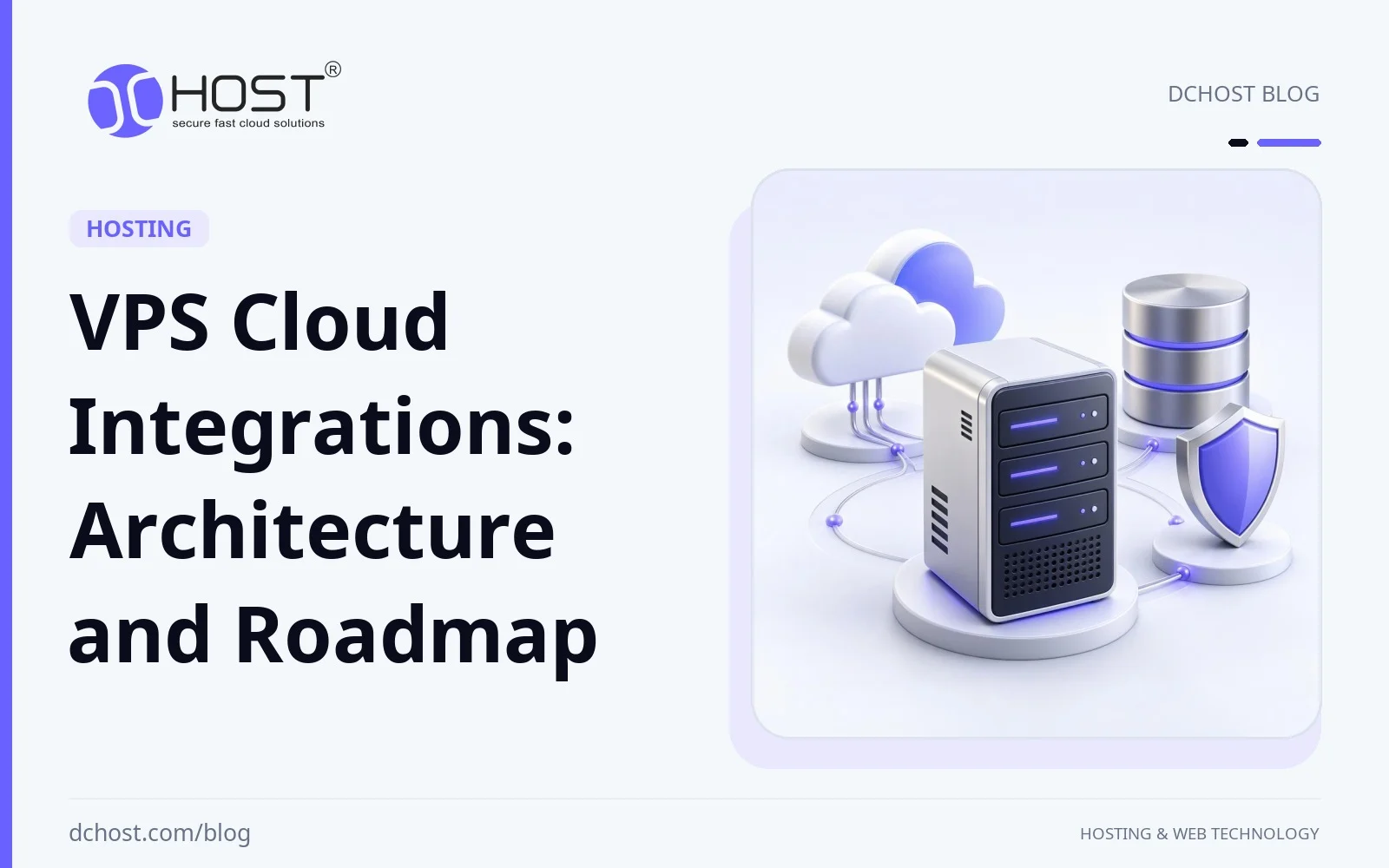
A VPS or dedicated server can remain the application core while selected cloud services address specific needs: object storage for backups, CDN and WAF at the edge, managed DNS, log and metrics platforms, identity providers and more. This hybrid approach can suit a small WooCommerce store, a multi-tenant SaaS product or an internal line-of-business app. In this article, we will unpack how these cloud integrations actually look in real VPS environments, what they change for performance, reliability and cost, and how you can design a roadmap that is realistic for your team. We will stay concrete and pragmatic: which integration types are worth your time, which ones are overkill early on, and how to keep control of complexity as you grow.
When to Combine a VPS with Cloud Services
Infrastructure does not have to be an either/or decision between a traditional VPS/dedicated server in a data center and workloads fully moved to large public cloud platforms. A hybrid design can keep a VPS as the application anchor and surround it with cloud services that solve specific problems. Resource guarantees, performance and isolation depend on the VPS plan and configuration.
There are several reasons to consider this hybrid approach:
- Specialised building blocks: Object storage, CDN, log indexing and serverless workers serve different purposes. Compare service limits, operational effort and data-transfer costs with self-hosting before selecting a managed component.
- Resilience options: External backups can support recovery, edge caching can reduce origin load, and health-checked DNS can direct new connections to a ready secondary origin. These address different failure modes; they do not make a single VPS continuously available.
- Regulation and data locality: For workloads subject to KVKK or GDPR, evaluate where core data, backups, logs and other integrated-service data are processed, along with the applicable transfer requirements. A known server location alone does not establish compliance.
- Developer productivity: CI/CD pipelines, managed secrets, feature flags and external monitoring can support repeatable operations where the application, access permissions and service interfaces are compatible.
In this design, the VPS is the compute core within a wider architecture. A project that already meets its performance, recovery and operational requirements does not need extra services solely to fit that pattern.
Key Types of Cloud Integrations for VPS Workloads
Let’s walk through concrete integration types for VPS and dedicated environments. You can mix and match these depending on your maturity and budget.
1. Object Storage and Backup Integrations
External object storage can be a useful early integration when independent backups or growing media storage are a measured need.
Object storage holds data as objects rather than presenting the same filesystem interface as a local disk. Its durability, request limits and total cost depend on the service and configuration. Instead of filling your VPS disk with zip archives and database dumps, you can transfer them off-site over HTTPS. Choose storage with suitable durability guarantees, and explicitly configure versioning and lifecycle policies where supported.
Possible backup patterns include:
- Automated off-site backups: Schedule tools such as rclone or restic with cron to transfer encrypted backups to S3-compatible object storage. Configure encryption and retained recovery points explicitly: a mirror that propagates deletions is not a substitute for backup history.
- Write-local, archive-remote: Where supported, daily local snapshots can provide fast restores, with weekly/monthly archives copied to object storage for disaster recovery. Set the off-site interval to match acceptable data loss; local snapshots can be lost with the VPS. Use application-consistent backups and verify restores.
- Cold storage tiers: Where available, lifecycle rules can move old backups to lower-cost, slower retrieval tiers. Account for retrieval charges and restore delays when choosing a tier.
Before applying expiration or archive-tier rules to a backup repository, verify that all objects required by retained recovery points stay available. Tools such as restic may share data across snapshots; use the tool’s retention and cleanup model instead of deleting repository objects by age. Keep recovery credentials and encryption keys accessible after the VPS is lost. A different region does not by itself separate account permissions: evaluate whether a compromised production credential could also delete backups, and check any immutability policy’s scope.
We have a detailed walkthrough on this pattern in our guide on automating off-site backups to object storage with rclone, restic and cron. On either a cPanel VPS or a custom Linux stack, verify backup permissions, application consistency, repository support and restoration requirements before scheduling transfers.
For media-heavy sites, another common step is offloading user uploads or product images to object storage and serving them through a CDN. This can reduce origin storage and transfer load, but traffic and charges move to other services. Verify application support, existing media URLs and access control for private files.
2. CDN, Edge Caching and WAF Around Your VPS
The second major integration family is putting a content delivery network (CDN) and often a web application firewall (WAF) in front of your VPS.
When you route traffic through a suitably configured CDN edge, potential benefits include:
- Latency can drop: Static assets and cacheable public HTML pages can be served from locations closer to your visitors. Exclude authenticated, personalised, cart and checkout responses from shared caching unless the application has a safe cache-isolation design.
- VPS load can decrease: Suitable cache hits avoid origin work; misses, revalidation and private requests still reach the application. Measure cache hit rate and origin load during representative traffic.
- Security controls at the edge: Many CDNs offer WAF, DDoS protection, bot filtering and rate limiting for traffic routed through them. Restrict direct access to the origin where appropriate so attackers cannot bypass those controls.
We usually recommend teams first understand the basics of edge caching before turning on aggressive rules. Our article What is a CDN and when do you really need one is a good primer. For Cloudflare users, we also have a detailed Cloudflare security settings guide covering WAF, rate limiting and bot protection.
One possible arrangement is:
- Origin: a VPS or dedicated server with the required network and application configuration
- Front: CDN handling TLS, caching, HTTP/2 or HTTP/3
- Security: WAF rules and rate limits tuned for the application profile
Protect and verify the CDN-to-origin connection as well as browser-facing HTTPS. WAF availability and settings depend on the plan; edge controls do not replace origin patching, authentication or monitoring.
This integration can improve response times for global visitors and reduce origin CPU demand when requests are served from cache. The gain depends on cache hit rate, visitor location and the workload; measure it rather than assuming a fixed speedup.
3. Managed DNS, Anycast and Smart Failover
Managed authoritative DNS can provide distributed name resolution and optional routing policies. Its availability and the application’s availability are separate: DNS cannot create a ready replacement for a failed origin.
Common patterns include:
- Anycast DNS: The same service address is announced from multiple network locations. Routing can direct queries to a reachable site, supporting DNS resilience; it does not guarantee the geographically nearest or fastest answer path.
- Health-checked records: A DNS service can monitor your origins and change answers to point to a ready backup IP or region when the primary fails. Detection time and cached DNS answers delay the switch, and existing connections are not migrated. The backup must have the application and sufficiently current data.
- Geo or weighted routing: Selecting DNS answers according to supported geographic rules or configured weights. A weight is a policy input, not proof of spare capacity; verify health-check and routing interactions.
These features matter most when you have more than one origin server or when you need a defined disaster recovery plan. For DNS timing during migrations, our guide on TTL strategies for migrations is very relevant. For recovery planning, the article on Anycast DNS and automatic failover explains how DNS-side automation fits together.
4. External Databases, Queues and Caches
For more advanced stacks, teams can integrate external services for parts of their data layer instead of running everything on a single VPS.
Examples include:
- Managed relational databases: Offloading MySQL/PostgreSQL to a dedicated managed database service, while the VPS hosts application code only.
- Managed Redis or Memcached: Using external stores for object caching or application-supported session storage, especially for WooCommerce, Laravel or custom SaaS dashboards. Keep durable task-queue requirements separate from cache selection.
- Message queues and event streams: Integrating managed queues (for example, to decouple long-running tasks from request handling) or streaming platforms for analytics.
Separating data services can make some workloads easier to scale, but reliability depends on the service design and failover behavior. There are trade-offs: you depend on network latency to external services, and costs can grow if you over-provision. For a smaller workload, one option is a well-tuned database and Redis instance on a VPS or dedicated server, with a plan to migrate individual components to managed services as load or complexity grows.
5. Monitoring, Logging and Alerting Integrations
Observability is another area where cloud tools integrate very naturally with VPS-based workloads. Instead of trying to collect and visualise every metric yourself, you can:
- Run exporters or agents for the required data: node exporter for operating-system metrics, and application instrumentation or external probes for HTTP and database health.
- Collect metrics and send logs through the selected tools. Prometheus normally scrapes reachable metric endpoints; Grafana queries data sources to display them.
- Set alerts (email, chat, incident tools) for meaningful thresholds.
If you want to keep more control, you can deploy a self-hosted stack on a dedicated VPS as a “monitoring hub” using tools like Prometheus, Grafana and Loki. Our guide on VPS monitoring and alerts with Prometheus, Grafana and Uptime Kuma shows a practical starting point. For lighter setups running directly on one VPS, we also wrote about monitoring VPS resource usage with htop, iotop, Netdata and Prometheus.
Even if you use a third-party monitoring SaaS, the principle is the same: your VPS exports data, the cloud tools store, graph and alert on it.
Protect metric endpoints and log ingestion with appropriate access controls. Test both alert rules and notification delivery, including missing-data and collector-failure cases. Minimise personal data and exclude credentials from logs; an external monitoring service is another data-processing dependency.
Example VPS + Cloud Architecture Patterns
With these building blocks in mind, here are four example VPS + cloud architectures to consider.
Pattern A: Single VPS Core with Edge and Backup Integrations
This is a possible starting architecture for small and mid-sized sites and SaaS MVPs:
- Compute: One well-sized VPS hosting web server, PHP or application runtime and database.
- Edge: CDN in front for TLS termination and caching, with WAF protection if supported and enabled.
- Backups: Automated encrypted backups in a suitably independent location, potentially another region, selected after data-transfer and recovery requirements are reviewed.
- Monitoring: Lightweight monitoring with Netdata, Prometheus or a third-party agent.
This pattern can improve recovery options and performance for cacheable content with relatively little added infrastructure. The single VPS remains a point of failure for origin-dependent requests; backups support recovery, not uninterrupted service.
If measured workload or management needs justify separation, the architecture can assign different roles to multiple VPSes:
- App VPS: One or more VPSes for web and application servers.
- Database VPS: A separate VPS optimised for MySQL/MariaDB or PostgreSQL, possibly with replication.
- Background workers: Another VPS running queues, cron workers, schedulers or real-time processing.
- Shared storage: Object storage for media and backups, optionally an NFS/cluster FS for certain workloads.
- Monitoring hub: A dedicated VPS running Prometheus/Grafana/Loki or similar.
Separating roles alone does not create high availability. Design application sessions, media and release consistency across nodes; a single database or load balancer can remain a failure point. Replication is not a backup, and a shared object store is not a drop-in substitute for every NFS or local-filesystem workload.
Shared storage and monitoring services can give multiple VPSes common integration points. They also become dependencies that need capacity limits, access policies, operational owners and recovery procedures.
For a broader look at how these choices compare with more managed platforms, we wrote a detailed piece on the best hosting architecture for small SaaS apps: single VPS vs multi-VPS vs managed cloud. The same trade-offs apply even if your app is not strictly SaaS.
Pattern C: Hybrid with Colocation or On-Prem Systems
Some organisations already have existing on-prem or colocation infrastructure – for example, internal ERP databases, file servers or directory services. A possible hybrid architecture is:
- Business-critical data on dedicated or colocated servers.
- Public-facing apps and APIs on VPSes.
- Secure VPN or private overlay network (WireGuard, Tailscale, ZeroTier) linking them.
- Cloud services on top: CDN, object storage, external monitoring, email delivery, etc.
An encrypted tunnel does not by itself implement Zero Trust. Verify supported virtual network interfaces, restrict which identities and services may reach each destination, and test revocation and network-outage behavior. Where mTLS is used, certificate authentication still needs application authorization.
This hybrid layout lets you retain core datasets on your existing infrastructure while using external services for the customer-facing layer. If you are interested in deeper networking patterns, our article on private overlay networks with Tailscale/ZeroTier shows how to connect multi-provider VPS and data center resources into a single logical mesh.
Pattern D: Multi-Region and Disaster Recovery Architectures
For teams that cannot afford prolonged downtime, a multi-region VPS design is another option:
- Primary environment in one data center (application, database, cache, background workers).
- Warm standby in a second region or facility (replicated database, pre-provisioned app servers).
- Global DNS with health checks and failover policies.
- Backups and assets in multi-region object storage.
The complexity is higher, but the design can support recovery from a full-region failure or major network incident. Recovery time and potential data loss depend on replication lag, standby readiness, independent dependencies and tested failover procedures; DNS changes alone do not establish application or database readiness.
Define recovery time objective (RTO) and recovery point objective (RPO) before choosing a standby design. Test restoration or promotion, traffic switching and failback together. Point-in-time database recovery requires the necessary base backup and transaction-log history; a replica alone does not preserve every required recovery point.
Operational Benefits of Cloud-Integrated VPS Environments
Why go through the effort of these integrations instead of running everything on one big server? Depending on the design, several practical benefits are possible.
1. Targeted Reliability Improvements
A single, oversized VPS can handle a lot of traffic – until it cannot. When issues do appear (disk failure, kernel bug, misconfiguration), you want recovery options that are independent of that one machine.
Cloud integrations add layers of protection:
- Independent, restorable object storage backups provide a recovery point if the entire VPS becomes inaccessible; changes since the last usable backup may still be lost.
- A CDN may continue serving cached content during an origin outage, subject to cache freshness and configured stale-content behavior.
- Health-checked DNS and a secondary VPS or dedicated server give you a path to fail over.
You can target resilience spending rather than simply enlarging one VPS, though failover designs may still require reserved capacity.
2. Clearer Observability and Faster Incident Response
When logs and metrics live only on the VPS that is currently misbehaving, troubleshooting is much harder. By integrating external or centralised monitoring:
- Previously collected metrics remain available if the monitored VPS is offline, provided the separate monitoring system remains accessible.
- Correlating spikes (CPU, IO, HTTP errors, slow queries) is easier across services.
- Well-chosen alerts can help you detect issues before users start opening tickets.
Our guide on setting up Prometheus, Grafana and Uptime Kuma for VPS monitoring shows the kind of baseline we like to see before teams roll out more complex integrations.
3. More Flexible Scaling Paths
Before adding capacity or services, investigate application, query and caching bottlenecks. If those changes do not meet the workload’s needs, integration options include:
- Increase cache hit ratios at the CDN instead of just adding CPU.
- Offload heavy reports or exports to background workers and queues.
- Move specific workloads (image processing, search, analytics) to specialised services while keeping the core app on VPS.
- Split into multiple VPS roles (app, DB, workers) as described earlier.
We covered these trade-offs in more depth in our article on VPS and cloud hosting innovations you should be planning for now and in our dedicated piece on VPS cloud integration trends.
4. Planning for Compliance and Data Locality
For workloads subject to KVKK or GDPR, treat legal and contractual requirements as design inputs. A hybrid architecture changes the data flows you need to evaluate:
- Keep core databases and logs containing personal data in documented locations selected for the applicable legal and contractual requirements; location alone does not establish compliance.
- Configure CDN and caching layers to exclude sensitive responses from shared caches; short retention alone is not a substitute for access control.
- Choose object storage with suitable regional placement and access logging, and verify the locations of replicas, backups and logs as well as the primary bucket.
We go into much more detail, including example architectures across Turkey, EU and US data centers, in our article on choosing KVKK and GDPR-compliant hosting. Cloud integrations are not automatically a risk; when done well, they can actually make your data flows more explicit and auditable.
5. Developer Experience and Release Velocity
Finally, cloud-integrated VPS setups can be easier to develop against and ship changes to. CI/CD pipelines, feature flags, centralised secrets and error tracking can make releases more repeatable when they are configured and maintained appropriately. They do not make every application or database change reversible.
Keep deploy flows simple and repeatable. If you want a concrete pattern, our guide on staged CI/CD deployments to a VPS using rsync, symlinked releases and systemd outlines a repeatable deployment pattern.
For infrastructure automation, verify a suitable provider API and Terraform provider, plus cloud-init support in the chosen image and data source. Ansible can manage supported host configuration. Review infrastructure plans before applying them; Terraform state may contain secrets and needs protected storage and access. Treat deployment credentials and rollback procedures as part of the same design.
Design Considerations and Pitfalls When Integrating Cloud Services
Cloud integrations bring a lot of power, but they also introduce new failure modes and operational questions. Review the following areas before adding services to a hybrid architecture.
1. Network Latency and Topology
External service calls introduce network latency. Backups and asynchronous analytics may tolerate higher latency, but still need to meet completion deadlines. For request-path components like caches, databases or search, latency directly affects response times.
Questions to ask:
- Is the cloud service in the same region or at least on a low-latency path to your VPS?
- Do you need private interconnects or VPNs, or is public internet over TLS acceptable?
- What happens to application behaviour when that service is slow or temporarily unavailable?
We recommend starting with integrations outside the synchronous request path (such as backups or async tasks) before moving core request-path components off the VPS. These integrations may still be business-critical.
2. Security and Access Control
Each integration brings credentials, API keys, tokens or certificates. Treat these as production-critical assets:
- Keep plaintext secrets out of Git and logs. Use access-controlled secret delivery or encrypted files such as sops/age where appropriate; environment variables are a delivery mechanism, not encryption or a guarantee against disclosure.
- Use least privilege: only grant the minimal permissions needed on object storage buckets, DNS zones or monitoring accounts.
- Use credentials with suitable scope and lifetime, review access periodically, and document revocation or replacement after compromise or ownership changes.
Combining VPS-level hardening (firewalls, SSH security, patches) with strong cloud IAM policies can reduce the likelihood of compromise and limit its blast radius, depending on the permissions and systems affected.
3. Data Locality, Privacy and Compliance
Before sending logs, backups or user uploads to any external service, check:
- Where exactly the data will be stored and processed (region, jurisdiction).
- Whether you can choose or lock the region.
- How applicable deletion and retention requirements are implemented across primary data, replicas, backups and logs, including legal retention obligations and how completion is recorded.
Hybrid VPS + cloud architectures can support compliance goals, but mapping data flows up front is only one part of meeting applicable requirements. Our KVKK/GDPR hosting guide linked above includes checklists you can adapt for your own environment.
4. Cost Visibility and Surprises
Fixed-price VPS or dedicated server plans can provide predictable base monthly costs, though usage charges and add-ons may vary. Some cloud services, especially those priced per GB or per million requests, can surprise you if you do not track them.
We recommend:
- Starting small and setting cost alerts where available; an alert is not a hard spending cap unless the service explicitly enforces one.
- Monitoring storage, request counts, origin-to-CDN and CDN-to-user traffic, and restore or cross-region transfer charges.
- Regularly reviewing storage growth and lifecycle policies in object storage.
A hybrid design may cost less than an entirely public-cloud deployment, depending on workload, transfer charges and operational overhead; compare total costs rather than just server prices. Our guide to cutting hosting costs by right-sizing VPS, bandwidth and storage is a useful companion here.
5. Operational Complexity and Ownership
Finally, every new service is another thing someone must understand, maintain and debug. Ask yourself honestly:
- Who owns this integration? Do they have enough time and expertise?
- Is there documentation that explains what to do during an incident?
- Can you roll back or disable a service quickly if it misbehaves?
A useful rule of thumb is simple: add complexity only when it clearly pays for itself in reliability, compliance or development speed, and keep runbooks as simple as possible.
Planning Your Own VPS + Cloud Integration Roadmap
You do not need to implement every integration pattern at once. A staged approach lets you evaluate each integration before adding the next.
Before starting, identify data locality, retention and compliance requirements so they guide service selection. Here is a pragmatic roadmap you can adapt:
- Stabilise your core VPS: Make sure you have basic hardening, monitoring of CPU/RAM/disk and sane PHP or application settings. Our article on the first 24 hours on a new VPS is a good checklist.
- Set up off-site backups: Integrate your VPS with S3-compatible object storage using rclone, restic or a backup agent. Test restores, not just backup jobs.
- Add CDN and basic WAF: Where useful and supported, add a CDN with verified browser-to-edge and edge-to-origin HTTPS, public static-asset caching and tested bot/rate rules. Exclude private responses and measure TTFB, cache hit ratio and origin errors.
- Centralise monitoring and logs: Decide whether you prefer a self-hosted stack (for example, Prometheus/Grafana/Loki on a separate VPS) or a third-party service, and start shipping data there.
- Refine data locality and compliance: Document which data lives where, make sure object storage and backups respect regional requirements, and set up retention policies.
- Evaluate advanced steps when requirements justify them: Multi-VPS split (app vs DB), managed queues/search, multi-region DNS failover, more complex CI/CD.
Throughout this journey, your VPS or dedicated server can remain the core of the architecture, while carefully chosen cloud integrations extend its capabilities. Assess portability and service dependencies as you add them.
If you are unsure where to start, list your current bottlenecks and choose one measurable improvement for the first stage. For WordPress, WooCommerce, Laravel, Node.js or a custom B2B portal, select integrations around the application’s dependencies and recovery needs rather than a promised delivery timeline.
Choosing the Next Step in Your VPS Cloud Roadmap
Cloud integrations let a VPS or dedicated server serve as the core of a broader architecture. That core can provide control over the operating system and applications; performance and data locality depend on the resources and locations chosen. Around that core, you selectively plug in cloud services – for backups, CDN and WAF, DNS, monitoring, search, queues or analytics – wherever they provide clear value. This hybrid approach offers selective use of external services, but neither resilience nor portability is automatic: both depend on how those services are integrated.
The key is intentional design. Start by stabilising your VPS, then add the integrations justified by your recovery and operational needs: off-site backups, suitable edge services and centralised observability, followed where necessary by multi-VPS or multi-region designs. Use data locality and compliance requirements as design inputs, not afterthoughts. Have developers, security officers and the finance team review the roadmap together so that operational ownership, data handling and costs are explicit.