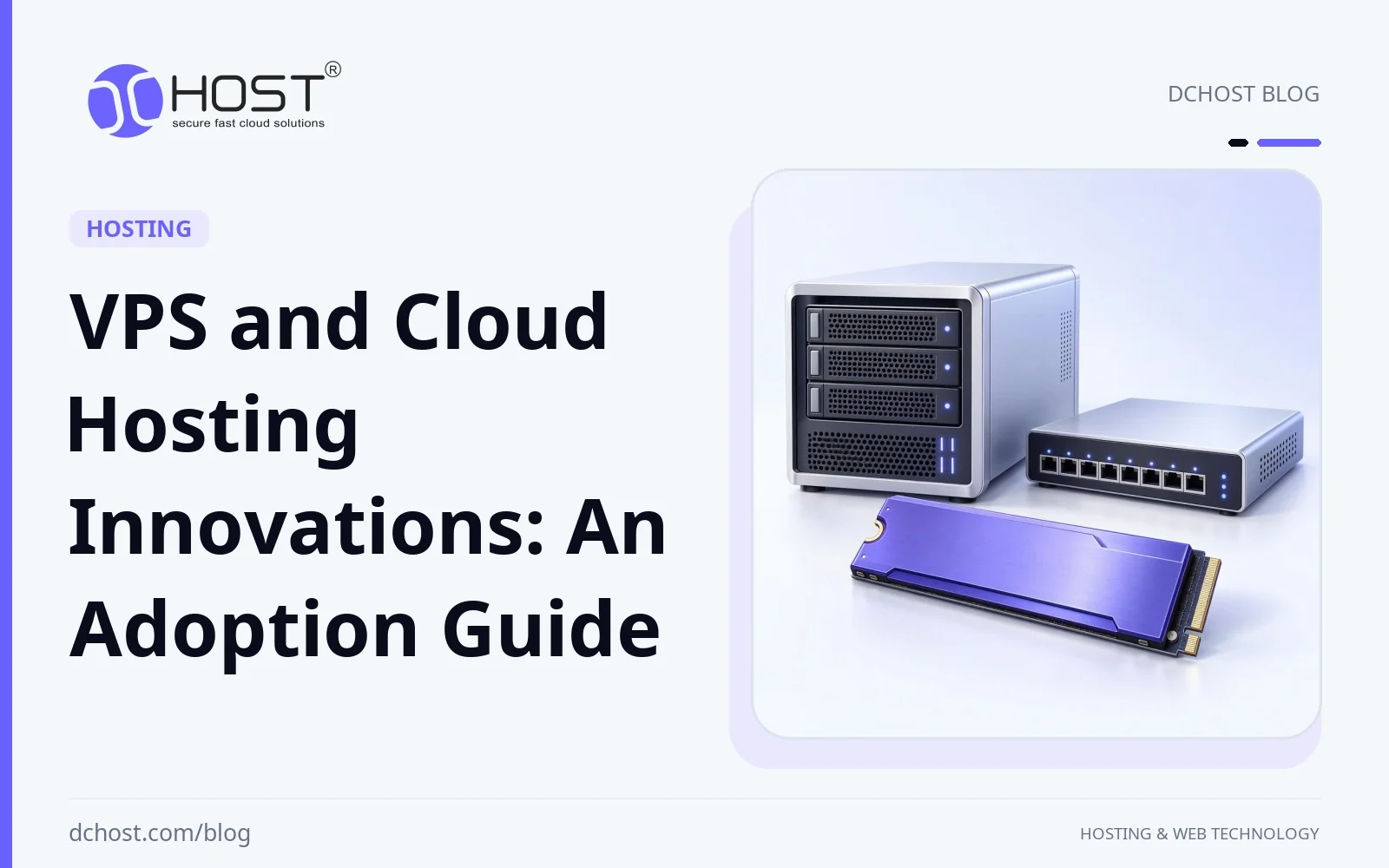
VPS and cloud hosting platforms can combine virtual servers with NVMe storage, container orchestration, software-defined networking and automated provisioning. These capabilities vary by provider and plan. This adoption guide explains how to assess them against measured workload needs, recovery targets, security responsibilities and total cost.
Possible use cases include agencies consolidating dozens of WordPress sites on modern VPS clusters, SaaS teams mixing VPS and cloud services for latency‑sensitive workloads, and e‑commerce businesses moving from a single dedicated server to highly available architectures. In this article, we will walk through the key VPS and cloud hosting innovations that matter in practice, explain them in plain language, and give you a framework to decide what you should adopt now and what can wait for later.
VPS vs Cloud Hosting: Compare Capabilities, Not Labels
Before talking about innovations, it helps to clarify terms. In day‑to‑day conversations, “VPS” and “cloud” are often used interchangeably, but they are not exactly the same thing.
A VPS (Virtual Private Server) is a virtual machine with allocated CPU, RAM and storage. Allocation does not necessarily mean dedicated physical CPU cores. Root access, operating-system choice, resource guarantees and management responsibilities depend on the platform and plan; confirm them before treating a VPS like a small dedicated server.
Cloud hosting may offer APIs, automated provisioning, elastic scaling, software-defined networking and managed databases, storage or load balancers. Availability, pricing and operational scope vary. Automatic scaling or recovery requires supported features and a suitable application design; the cloud label alone provides neither.
Some VPS platforms also offer snapshots, private networking, cloud-init and API-driven provisioning. Compare their actual capabilities, resize downtime and service limits. Where supported, these components can be combined with dedicated servers or colocation, but a hybrid design adds networking, data-consistency and operating responsibilities.
If you want a deeper conceptual baseline on cloud servers, you can also read our detailed article “What is a Cloud Server?”.
Hardware Innovations: NVMe, High‑Core CPUs and Smarter Networking
NVMe Storage: Measure Latency and I/O Limits
Storage can be a major bottleneck for I/O‑bound workloads. On HDD or SATA SSD‑based VPS platforms, database queries, logs, caches, and search indexes compete for disk access. Modern VPS platforms built on NVMe can reduce storage latency and increase IOPS (input/output operations per second), though actual gains depend on contention, provider limits, and the workload.
Moving MySQL or PostgreSQL workloads from SATA SSD to NVMe can reduce query latency and I/O wait when storage is the bottleneck. CPU‑bound queries, lock contention, or queries served from memory may see little benefit. For storage‑bound applications, potential benefits include:
- Fewer slow checkout steps on e‑commerce sites
- Faster admin panels and dashboards
- More breathing room before you need to scale vertically or horizontally
Our NVMe VPS hosting guide explains storage measurements in more detail. Compare storage latency, IOPS and throughput under a representative workload; choose NVMe when its measured benefit and plan limits justify the cost, rather than assuming every dynamic site needs the same disk tier.
High‑Core CPUs and vCPU Allocation
Compare CPU options along two dimensions:
- Core count and per-core performance: More cores can help parallel workloads; stronger cores can reduce CPU-bound request latency. Model, clock behavior and actual allocation all matter.
- Resource sharing: Check whether vCPUs are shared or dedicated and what sustained use is allowed. A high vCPU count does not establish low contention or a guaranteed physical-core allocation.
For many workloads, a smaller number of strong cores beats a large number of weak or heavily oversubscribed ones. As a hypothetical comparison, a WooCommerce store limited by per‑core performance and disk I/O could benefit more from 4 high‑frequency vCPUs with NVMe than from 8 slow cores on HDD storage.
If you want a practical way to choose CPU and RAM for real applications, we recommend our article on how to choose VPS specs for WooCommerce, Laravel and Node.js without paying for noise.
Modern Networking: 10G, 25G, IPv6‑First and Private Networks
Network capacity, packet processing, and connectivity options also matter:
- 10G and 25G uplinks can relieve aggregate host/network bottlenecks; they do not promise that bandwidth to each VPS. Check the instance limit and transfer allowance.
- SR-IOV and NIC offloading can reduce packet-processing overhead where the hardware, drivers and platform support them. Measure the benefit and check compatibility requirements.
- IPv6 support can complement IPv4 in a dual-stack deployment. Address allocation, routing and defaults vary by provider; IPv4-dependent clients still need a reachable path.
- Private VLANs and overlays can separate traffic between services. Isolation does not by itself authenticate peers or encrypt traffic; apply suitable access policy and encrypted transport.
Our IPv6 adoption and infrastructure planning guide gives additional context. Before publishing an AAAA record, verify routing, required ICMPv6, firewall policy, service listeners and TLS from an external IPv6 network. Retain IPv4 where clients or dependencies need it, and include its ongoing cost in dual-stack planning.
From Classic VPS to Cloud‑Native
KVM, Containers and MicroVMs
Under the hood, VPS platforms may use KVM (Kernel‑based Virtual Machine) for hardware‑assisted virtualization and VM isolation. Performance depends on host hardware, resource allocation, and workload. Alongside VM virtualization, several approaches shape how we deploy workloads:
- Containers (Docker, Podman) package applications and dependencies. They share a kernel and are not equivalent to VM isolation; limit privileges and resources and check host compatibility.
- MicroVMs are lightweight VMs intended to combine VM isolation with relatively fast startup. Actual startup and compatibility depend on the implementation and workload.
- Hybrid setups can host traditional services and containers on a VPS, or distribute a Kubernetes/k3s cluster across nodes. Plan resource limits, persistent data and failure domains explicitly.
We have a detailed write‑up on the containerization trend in VPS technology, and another describing a 3‑VPS high‑availability k3s cluster with Traefik, cert‑manager and Longhorn. Use these as starting points for evaluating your own deployment requirements.
Kubernetes and k3s on VPS: Cloud‑Native with Less Provider Lock‑In
Kubernetes and k3s can orchestrate workloads across suitable VPS nodes:
- You can spread your application across multiple VPS nodes.
- Configured liveness checks can trigger restarts of unhealthy containers; readiness checks control whether they receive service traffic.
- Rolling updates can keep deployments online when replica counts, readiness checks, spare capacity, and application compatibility support it.
- With autoscaling and suitable metrics configured, replicas can increase during traffic peaks and decrease afterward, within available cluster capacity.
Kubernetes on VPS can provide deployment and workload-management features, provided the team can operate and secure the cluster. It does not guarantee fixed total cost, root access or high availability. Redundancy needs healthy replicas, spare capacity, a resilient data/control plane and actual failure-domain separation. Replica scaling stays within available capacity; new VPS nodes need separate provisioning or supported node autoscaling and can increase cost.
Serverless and Managed Services: When You Still Need a VPS
Serverless functions and managed databases can suit event-driven work or transfer defined maintenance tasks to a provider. They may replace some server responsibilities; other components may still fit a VPS or dedicated server. Check limits, runtime support, recovery and management scope before choosing:
- Latency-sensitive backends and real-time applications may benefit from reserved CPU and local storage where the plan provides them and measurements support the choice.
- Data location and compliance needs require reviewing actual access, processing and contractual controls; owning a server is not itself proof of compliance.
- A hybrid application can keep its core on VPS/dedicated infrastructure while using specialized transcoding, analytics or email services, if integration and operating costs are justified.
The key infrastructure decision is which components belong on a VPS or dedicated server and which are worth offloading to specialized cloud services.
Storage and Backup Innovations
Block vs Object vs File Storage
Storage is no longer just “a disk.” Successfully planning modern infrastructure means understanding three main types:
- Block storage – What your VPS “disk” usually is. Great for OS, databases, application files.
- File storage – Shared file systems (NFS, SMB) for multiple servers to access the same files.
- Object storage – Storage for media, backups, logs and static assets, often accessed through S3‑compatible buckets.
In our article on object, block and file storage for web apps and backups, we walk through concrete examples: storing user uploads in S3‑compatible storage, keeping databases on NVMe block volumes, and using object storage as the core of your backup strategy.
Volume Snapshots and Rollbacks
Some VPS platforms support volume snapshots at the storage layer; creation and restore times depend on the platform. Used properly, snapshots help with several operational tasks:
- Before major changes – Take an application‑consistent snapshot before upgrading PHP, database schema or your application, coordinating writes across affected volumes and services. Plan rollback carefully: restoring a volume discards later writes and may leave external services out of sync.
- Pre‑deployment safety – Integrate snapshot creation into your CI/CD pipeline for extra safeguards.
- Testing migrations – Clone snapshots to isolated staging servers, sanitize sensitive data and disable production credentials, outbound notifications and jobs before testing major upgrades.
Snapshots can be a useful pre-change recovery option where supported. They do not replace independent offsite backups, and neither snapshot creation nor restore time should be assumed instant. Test the recovery process and account for later writes and external dependencies.
Ransomware‑Resistant Backups: Object Lock and Versioning
To reduce the impact of ransomware and accidental deletions, backup plans can use immutable backups. Depending on the provider, object storage may offer features like:
- Object Lock: Protects specified object versions under configured retention or legal holds. In Amazon S3, governance retention can be bypassed with the relevant permission and request; compliance retention prevents users from shortening retention or deleting the protected version during that period. New versions and delete markers can still be created.
- Versioning: Preserves older versions if they remain retained and uncorrupted; versioning alone is not immutable protection.
- MFA Delete: In Amazon S3, additional authentication applies to permanent deletion of object versions and changing bucket versioning state. It is not a blanket block on all deletion operations or a feature to assume in every S3-compatible service.
We recommend designing backup plans around these features, as explained in our guide on ransomware‑resistant backups with S3 Object Lock. In practice, this means:
- Back up databases, files and required configuration consistently, using a frequency that meets your recovery-point objective.
- Keep an independent offsite copy with separate, restricted credentials and protected recovery/encryption keys. Check which controls your storage provider actually implements.
- Choose retention for incident-detection delay, recovery and applicable obligations; preserve required copies before cleanup.
- Test full restores in an isolated environment, with production payments, notifications and jobs disabled, and measure whether the recovery-time objective is met.
Network and Security Innovations
Private Overlay Networks and Service Meshes
When applications span servers or providers, private connectivity can reduce public exposure. Evaluate overlay networks and service meshes by their actual encryption, identity and access-control configuration:
- Encrypted overlays such as Tailscale or ZeroTier can connect approved devices; enrollment and access policies still need administration.
- Service meshes can authenticate and encrypt service traffic when the relevant identities, certificates and policies are configured. A mesh may use sidecars or another supported architecture.
- Cross-provider connections can link VPS and dedicated servers to external services using suitable tunnels where both endpoints permit them. Verify routes, access policy, monitoring and failure behavior.
Our private overlay networks with Tailscale/ZeroTier guide explains the pattern. Close unnecessary public listeners, restrict internal access to intended peers and services, and validate encryption and authorization. A private address or mesh label alone does not make every connection secure.
Zero‑Trust Principles and Strong TLS Everywhere
Apply identity-aware access controls and suitable encrypted transport to the services that need them:
- Zero‑trust: Never assume the network is trusted. Every request should be authenticated and authorized, even inside your internal network.
- TLS everywhere: Use modern TLS settings for public and internal HTTP services, admin panels and APIs, and appropriate encrypted transports for other protocols.
This translates into concrete actions:
- Consider mTLS for service or administrative connections that support certificate-based peer identity; manage issuance, rotation and authorization.
- Use supported TLS configurations and valid certificates on public and internal HTTPS endpoints; TLS 1.2/1.3 availability depends on the service and clients.
- Automate certificate renewal where appropriate and monitor failures. CAA can restrict permitted certificate issuers; plan records around your actual issuers.
- For HTTP/3, verify a supported server package/build, active QUIC listener, TLS 1.3 and an accessible UDP port, usually 443. Test before advertising support and retain TCP-based HTTP fallback. CDN-to-visitor HTTP/3 does not require HTTP/3 at the origin.
We have several practical playbooks on this, including enabling TLS 1.3, CA‑dependent OCSP stapling and HSTS properly on Nginx/Apache and protecting your origin with authenticated origin pulls and mTLS.
DDoS Protection, WAF and Bot Management
Plan controls for volumetric attacks, malicious HTTP requests and abusive clients according to exposure and capacity. Possible layers include:
- Network‑level mitigation for volumetric DDoS
- A WAF (Web Application Firewall) to filter malicious HTTP traffic
- Rate limiting and bot rules, especially for login endpoints and search APIs
Combine appropriate network protection with tuned WAF and rate-limit rules, testing legitimate workflows as well as blocked requests. A WAF complements application fixes. If protection sits at a proxy, restrict direct origin access as appropriate so the intended controls cannot be bypassed. Our WAF and bot protection guide explains how these components can work together; verify the actual provider scope and your own operational responsibilities.
Automation and Observability: Bringing Cloud‑Style Operations to VPS
cloud‑init, Ansible and Terraform: From Click‑Ops to Infrastructure as Code
Automation can reduce repeated setup work on VPS and hybrid infrastructure. Select automation tools according to platform support, team skills and the resources you need to manage:
- cloud-init: Bootstraps users, SSH keys, packages and configuration on supported platforms and images.
- Ansible: Applies reviewed configurations across supported hosts; protect credentials and test changes against compatible software versions.
- Terraform: Uses a compatible provider to manage supported resources in .tf definitions. Review the plan before applying it, control provider versions and protect access keys and state files, which may contain sensitive data.
Our cloud-init and Ansible provisioning guide illustrates the workflow. Reproducibility depends on versions, images, dependencies and provider support; recreating infrastructure does not restore application data. Keep backups and recovery procedures, and isolate staging databases, credentials and outbound actions from production.
CI/CD to VPS: Aiming for Zero Downtime
Instead of manual FTP uploads and maintenance pages, a common automated deployment workflow is:
- Build and test versioned artifacts in CI, protecting deployment credentials.
- Transfer artifacts into a new release directory with rsync, or deploy a versioned container image. Keep uploads, secrets and other persistent data outside disposable releases.
- Validate the new release before cutover, including configuration and database compatibility. Use migrations compatible with old and new releases when both may run.
- Switch a directory deployment symlink atomically when ready, or perform a rolling update with healthy replicas and spare capacity. Drain or restart PHP-FPM and queue workers according to their lifecycle and job semantics.
- Check application health after cutover and retain a compatible rollback path. Reverting code does not automatically undo data changes or external actions.
Our playbook on zero‑downtime CI/CD to a VPS with rsync, symlinks and systemd outlines a release-based deployment approach. Adapt it to your application’s process lifecycle, persistent data and health checks rather than assuming it guarantees uninterrupted service.
Monitoring and Alerts: Prometheus, Grafana and Uptime Probes
Use observability to decide whether an infrastructure change helped and to detect service problems. Useful components include:
- Metrics (CPU, RAM, I/O, network) via node exporters and Prometheus
- Dashboards in Grafana for infrastructure and application‑level visibility
- Uptime probes from multiple regions with response time monitoring
- Alert rules for early warning on disk space, error rates, or high latency
Our guide on VPS monitoring and alerts with Prometheus, Grafana and Uptime Kuma is a practical starting point. With suitable metrics and alert rules, you can improve visibility into your VPS and detect some issues before users notice.
Cost Optimization and Right‑Sizing in a Hybrid World
Right‑Sizing VPS Resources
A fixed-price VPS plan can make base compute charges easier to forecast, but total cost may include traffic, storage, backup, licenses and administration. Size for the workload and recovery needs; overprovisioning can waste money, while insufficient capacity can degrade service.
We recommend:
- Use workload requirements to choose an initial plan. A hypothetical 2–4 vCPU, 4–8 GB RAM CMS/e-commerce test configuration is an illustration, not a capacity promise.
- Measure CPU, memory, I/O, traffic and response time under typical and peak load; keep headroom for growth, maintenance and the chosen failure scenario.
- Compare optimization and vertical scaling with additional instances. Multiple nodes may be needed for availability, but introduce data and operational complexity.
- Set scaling limits and billing alerts. Before shutting down resources or trimming logs/backups, preserve needed data, recovery copies, keys and retention obligations.
Our article on cutting hosting costs with right‑sizing VPS, bandwidth and storage provides concrete formulas and examples. A well‑tuned medium VPS with NVMe may outperform a larger but poorly configured instance; compare them using your workload rather than resource counts alone.
Hybrid Architectures: VPS + Cloud Services + Dedicated/Colocation
For growing businesses, a hybrid setup can be useful when different workloads have different infrastructure needs. Options include:
- VPS: An option for web/app servers, databases, staging and CI/CD runners when resource and security requirements fit.
- Dedicated servers: An option when measured capacity, isolation or hardware requirements justify them.
- Colocation: A way to house your own hardware with a provider. Verify availability, power, cooling, network, physical intervention and responsibility terms; do not infer these services from a VPS offering.
- External cloud services: Specialized options such as CDN, AI/ML APIs or managed analytics, subject to integration, data handling and cost requirements.
For example, a business could use VPS and dedicated servers as its core, then selectively integrate external cloud services through APIs and private connectivity where supported. This could keep core workloads under its administration while adding specialized capabilities.
How to Choose Between Modern VPS and Cloud Hosting for Your Next Project
When a Modern VPS‑First Architecture Makes Sense
A VPS‑centric approach can fit the following needs, though they are not exclusive to VPS hosting:
- Your workload is predictable (business hours, steady baseline traffic).
- You need root access and OS‑level control (custom daemons, fine‑grained firewall rules, or specific kernel modules where the virtualization platform and provider permit them).
- You care about data locality and prefer your workloads stay in specific data centers for regulatory or latency reasons.
- You want simple monthly pricing instead of per‑request/per‑GB complexity.
Examples, where the workload fits the criteria above: corporate sites, WooCommerce shops, agency‑managed WordPress fleets, B2B SaaS apps, and transactional APIs with known volume.
When to Lean More on Cloud‑Style Services
Consider adding more cloud‑style components when:
- You face unpredictable traffic spikes (viral content, big campaigns, big launch days).
- You need global latency optimization (end‑users spread worldwide, real‑time collaboration apps, streaming).
- You want to offload specific responsibilities (for example, using a managed message queue or analytics engine instead of running everything yourself).
One possible hybrid design keeps core logic on VPS and dedicated servers, places heavy media on object storage behind a CDN, and adds specialized services where needed, with automation and private connectivity where available.
Practical Evaluation Checklist
When you plan your next infrastructure step, ask yourself:
- Which latency, CPU or I/O bottleneck do representative measurements show?
- How quickly can traffic change, and can caching, spare capacity, vertical scaling or additional instances meet the target?
- What data-location, access and compliance requirements apply?
- Who will manage updates, security, backups and restores; which tasks need a managed service?
- What recovery-point/time objectives and failure domains must the design support?
- What fixed and variable costs can the budget support, including integration and operating work?
Map these answers to a small set of suitable plans and architectures. For DCHost, verify the selected product’s resources, location, management and backup scope. If you need design, migration or implementation assistance, confirm its availability, responsibilities and price before relying on it.
Next Steps for Your VPS and Cloud Hosting Plan
Choose each feature for a defined need: storage performance, repeatable provisioning, controlled connectivity or recovery. NVMe does not remove every bottleneck, a private network does not establish authorization, and an S3-compatible label does not prove backup durability or immutability. Verify the implemented controls and measure results.
The right mix depends on workload and operational needs rather than a blanket choice between VPS and cloud. One option is stable, well‑sized VPS and dedicated servers as the foundation, object storage and CDN for global delivery, and selected cloud services where they clearly pay off. Good monitoring, CI/CD and security practices can support performance, resilience and cost control, but the benefits must justify the added integration and operational complexity.
Before upgrading, document workload measurements, growth expectations, recovery targets and budget. Compare them with the relevant DCHost plans and clarify any required management, migration or benchmarking support in advance. Test the proposed change with independent backups, monitoring and a recovery path, then reassess whether its benefit justifies the cost and complexity.