A cloud server provides computing resources for hosting websites, running applications, and processing or storing data. But how does it differ from a traditional server? This guide explains the underlying technology, its relationship to cloud service models, the setup process, and the benefits and trade-offs for businesses. Hypothetical retail and education examples show how cloud servers can support different workloads.
Definition and Basic Information of Cloud Servers
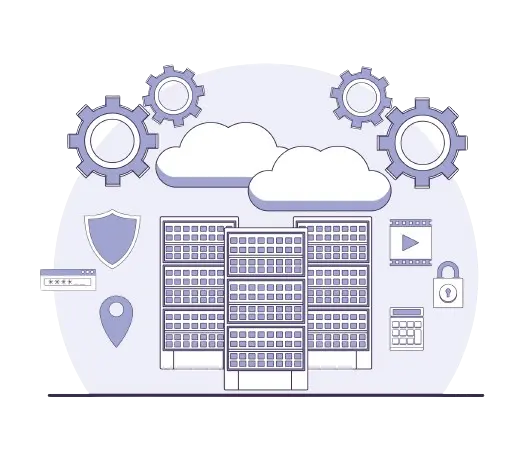
A cloud server is typically a virtual server provisioned from a pool of computing resources operated by a cloud provider. Virtualization divides physical hardware into isolated environments with allocated CPU, memory, storage, and networking. Users usually create and manage these servers through a control panel or API.
Cloud servers still depend on physical hardware; the difference is that customers do not need to own or maintain that hardware themselves. Access is provided over a network, which may be the public internet or a private connection. A server can host applications, websites, databases, or data-processing tasks, subject to its available resources and software requirements.
Resources can often be resized or additional servers deployed as needs change. However, resizing may require a restart, and availability depends on the provider’s infrastructure and the application’s design. Big data and artificial intelligence workloads may need specialized hardware or distributed processing; using a cloud server alone does not guarantee faster execution.
Authorized users can connect from different locations when network access and security policies permit. This supports remote work, but business continuity also requires backups, recovery planning, and, where appropriate, redundant systems.
Differences Between Cloud Servers and Traditional Servers
The main difference between a cloud server and a traditional dedicated server is how computing resources are provisioned and managed, not whether the server is accessible over the internet. Both can support public websites or private applications. Cloud servers typically use pooled, virtualized infrastructure, while a dedicated server allocates a physical machine to one customer or organization.
Traditional servers may be owned and operated on-site, colocated in a data center, or rented from a hosting provider. Hardware maintenance responsibilities therefore depend on the arrangement. With cloud servers, the provider manages the underlying hardware, but customers using an unmanaged service generally remain responsible for the operating system, applications, access controls, and data.
Cloud resources can often be provisioned or resized faster than physical hardware can be purchased and installed. Scaling is still subject to capacity, account quotas, storage constraints, and application architecture. Disk shrinking is not supported by every service. Adding servers only helps if the workload can use them, and some changes require downtime. A VPS also uses virtualization, but being virtual alone does not establish automatic scaling or high availability; assess those features against the service’s architecture and scope.
Cloud servers can reduce upfront hardware spending, but they are not always cheaper. Compare ongoing compute, storage, backup, licensing, management, and data-transfer charges with the cost of a dedicated or on-premises setup. Security and operational efficiency depend on configuration and management in either model; predictable, sustained workloads may also suit dedicated infrastructure. Assess service agreements, redundancy, and your organization’s management capacity when comparing security and availability.
How Cloud Servers Fit Into Cloud Service Models
IaaS, PaaS, and SaaS describe different levels of responsibility in cloud computing. A cloud server is typically an IaaS resource; PaaS and SaaS may run on cloud infrastructure without giving users direct control of a server.
Infrastructure as a Service (IaaS) provides computing, storage, and networking resources. Customers typically choose an operating system and manage its updates, installed software, and configuration, while the provider maintains the underlying infrastructure. This avoids purchasing physical hardware, but total costs depend on usage and management needs.
Platform as a Service (PaaS) provides a managed environment for developing and deploying applications. The provider handles more of the infrastructure and runtime maintenance, allowing developers to focus on application code and data. Customers still need to manage application security, access permissions, and settings within the platform’s limits. Supported runtimes, scaling limits, and portability vary by service.
Software as a Service (SaaS) delivers a finished application, such as a hosted email or collaboration service. Users manage their accounts, permissions, data, and available application settings rather than administering the servers. The provider operates the application and its infrastructure. Check the service’s data-export and backup options rather than assuming they meet your needs. For all three models, the exact division of responsibilities depends on the service agreement.
Cloud Server Installation Processes
Setting up a cloud server usually means provisioning a virtual machine rather than installing physical hardware. A basic deployment can be straightforward, while a production migration needs careful planning. An on-site assessment is not normally necessary unless existing systems or migration requirements call for one.
First, identify the application’s CPU, memory, storage capacity and performance, operating system, and network requirements, including expected traffic. Choose a region based on user location, data-residency obligations, and service availability; a distant data center can increase latency. Check costs, resource limits, backup options, and whether the service is managed or unmanaged before selecting a configuration. For a migration, identify application dependencies, acceptable downtime, backup arrangements, and a rollback plan in advance.
Next, provision the server with a supported operating system image. Protect the provider account with multi-factor authentication where available. Apply operating system updates and configure the firewall to allow only required traffic. Restrict administrative connections such as SSH or RDP to necessary source addresses or a VPN network. Verify an alternative management access path before tightening access rules to avoid locking yourself out. For Linux servers, use SSH keys where supported. Set user permissions according to the minimum access each person or application needs.
Install the required application and database software and transfer data through an encrypted connection. Keep a recoverable copy of the original data, then test data integrity, application behavior, integrations, permissions, and performance before switching production traffic. For a website, configure DNS records and a TLS certificate as needed. During a migration, allow for cached DNS records in the transition. Keep the old service available until the new deployment is validated and a rollback is no longer needed.
After deployment, configure monitoring and alerts for resource usage, disk space, application errors, and availability. Set cost alerts where available and schedule backups with retention suited to the workload. Test restoration rather than assuming a backup is usable. A server snapshot alone does not replace an independent backup plan. Assign responsibility for patches, support, capacity reviews, and incident response; provisioning a cloud server does not automatically provide these ongoing services. For a managed service, check the agreement for support scope and response conditions.
Advantages of Cloud Servers for Businesses
Cloud servers can help businesses avoid upfront hardware purchases and adjust capacity as workloads change. This is useful for new projects, temporary environments, and variable demand. Savings are not automatic: unused resources and ongoing storage or transfer charges can increase costs, so usage needs regular review.
For example, a hypothetical e-commerce business preparing for a seasonal promotion could increase server capacity or deploy additional application instances behind a load balancer. Sessions, files, and the database must be designed for multi-server use. Automatic scaling requires provider support and appropriate configuration; it is not a default property of every cloud server. Where supported, define trigger rules, capacity limits, and a budget. Provisioning takes time, and database bottlenecks or application limits may still affect performance. Load testing and capacity planning help establish what the deployment can handle. More resources alone do not guarantee additional sales or trouble-free operation.
Cloud infrastructure can also support resilience through redundant deployments and off-site backups, depending on the provider’s options. A single cloud server does not automatically distribute or continuously back up its data. Businesses must select and configure the relevant services, account for their costs, and test recovery. Define acceptable data loss and recovery time, maintain independent backups, and test disaster-recovery steps. Replication alone is not a substitute for backups because it can also propagate unwanted changes, corruption, or deletions.
Provider-managed physical infrastructure can reduce some operational burdens, but security remains a shared responsibility. Strong access controls, timely patching, encryption where appropriate, and monitored backups are still necessary. Availability targets and recovery needs should guide the design rather than assumptions that cloud hosting is inherently secure or uninterrupted.
Example Cloud Server Use Cases
The following hypothetical scenarios illustrate potential uses of cloud servers, not documented customer outcomes. Their value depends on workload requirements, data sensitivity, availability targets, total cost, implementation, and ongoing management.
A global retailer could use cloud servers to process sales and inventory data from multiple stores. It could provision additional computing capacity for scheduled analysis and plan to release those resources after the jobs finish. The analysis could support demand forecasting and replenishment planning. The retailer would still need reliable data pipelines, suitable database capacity, access controls, and cost monitoring. Data-transfer charges, personal-data protection, and cross-border transfer requirements should be assessed during design. Evaluate analysis time, report and inventory accuracy, and total cost; improvements in customer satisfaction would need to be measured rather than assumed.
A university could host a distance-learning platform on cloud servers and plan additional capacity for enrollment or examination periods. Course-file delivery, database load, student-data protection, and backups each need attention. Redundant application instances, monitoring, and tested backups could support availability, while access controls would help protect student data. Students’ connectivity, accessibility needs, application design, and the quality of course design would remain important; cloud hosting alone cannot guarantee uninterrupted access, an identical user experience, or equivalent educational outcomes across locations.