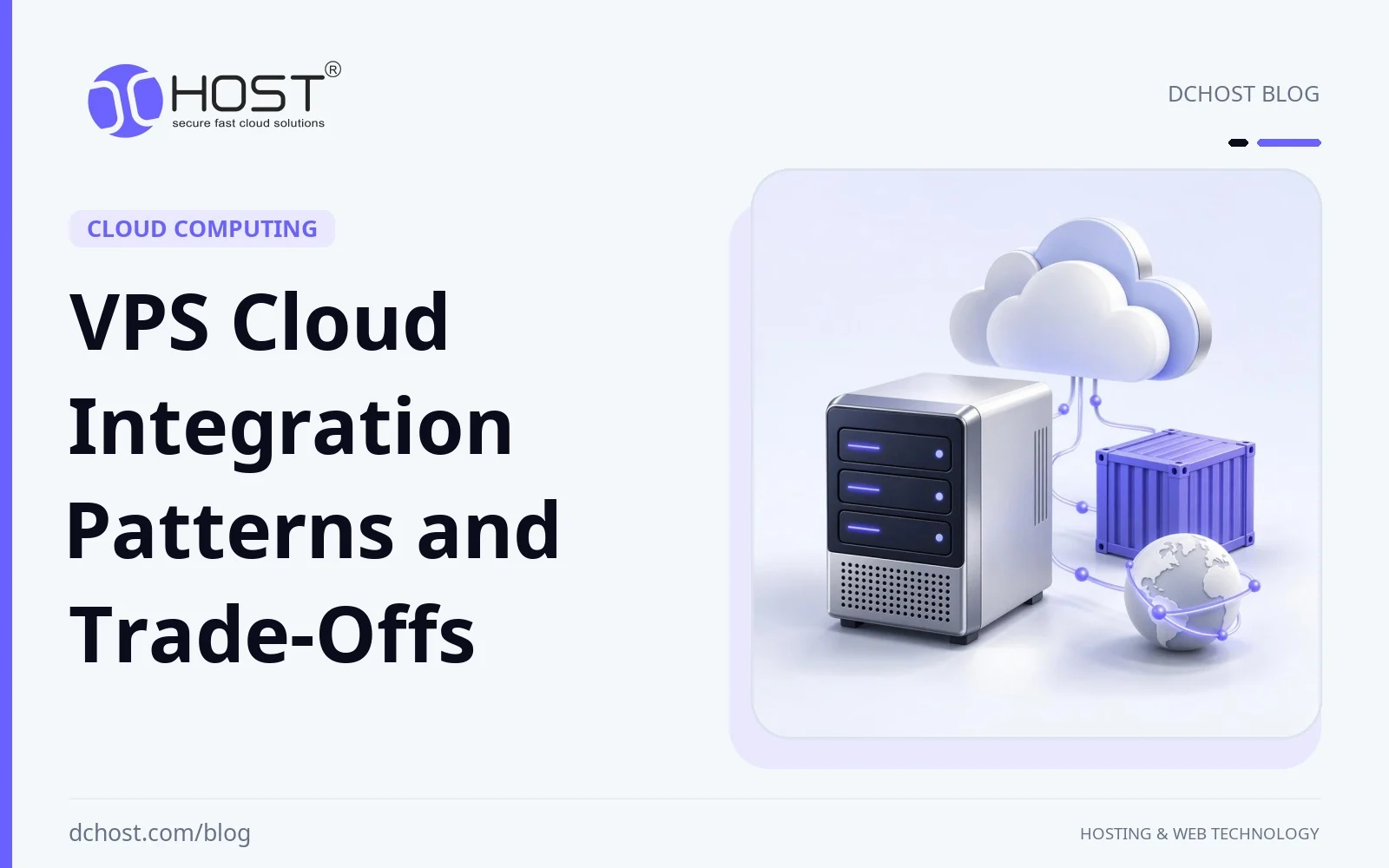
Can a queue move to the cloud while the API stays on a VPS? Yes, provided the application can tolerate the network dependency and the services share suitable authentication, failure handling and data boundaries. VPS cloud integration means choosing which components to operate yourself and which to obtain as managed services.
This guide compares hybrid architectures, containers, infrastructure as code, edge caching, observability and serverless tasks. It is a planning guide: use it to identify prerequisites, costs and failure modes before selecting implementation instructions for your stack.
The New Meaning of “Cloud Integration” for VPS
When people hear cloud integration, they sometimes picture a dramatic cutover to a shiny managed platform and a triumphant high five. Integration can also be quieter and more pragmatic. The VPS remains the home base. It’s where your application lives, where your team feels comfortable, where you can SSH in and see what’s going on. The cloud becomes a set of power outlets around the room—managed databases, queues, storage, CDNs, serverless bits—that you tap into when it makes sense. The magic is not the individual services; it’s how cleanly they connect to your VPS and how reliably they fail when something goes sideways.
Here’s the thing: a lot of integration wins are small moves that stack up. You offload object storage to something durable, push static assets to the edge, put queues on a managed service to shed some ops burden, and maybe let a cloud-managed database carry the heavy reads. Meanwhile, your core app retains its identity, its predictable cost profile, and its comfort zone on a VPS you understand. That balance—own your core, outsource the spiky edges—has been a surprisingly resilient trend.
And yes, the network is the unsung hero here. The cleanest integrations are the ones where DNS, caching, and transport are deliberate. Planning DNS TTLs before a migration helps limit how long clients use old records; keep the old endpoint available during the transition. For more detail, see the TTL playbook for zero‑downtime migrations—TTL planning is one part of a safe cutover, not a guarantee of zero downtime.
Hybrid and Multi‑Cloud, Without the Drama
For example, a busy WooCommerce store on a VPS might need seasonal compute for image processing and a managed queue. One option is to keep the shop on the VPS and add cloud workers that scale with queue demand. A CDN can cache the resulting images near users, but it does not remove latency between the VPS, queue, and workers.
The trick is to know what belongs where. A workload can be a good candidate for cloud integration if it is either bursty, embarrassingly parallel, or just better off managed by someone who runs that service at scale. Your cart and checkout? Keep it close. Your image thumbnails? Outsource the marathon. Your static assets? Push them outward. Check dependency latency, transfer charges, service limits and recovery behavior before moving the component. A managed service can reduce operating work while adding another service boundary.
For each proposed boundary, list the data sent, peak request rate, acceptable latency and behavior during a timeout. Keep latency-sensitive application and database paths close where practical. Test the actual network path; a CDN cache hit near the visitor does not remove a slow origin-to-database connection.
Containers, GitOps, and the “Steady Hand” of IaC
Let’s talk about containers. They’re not a trend anymore; they’re a guardrail. On VPS projects, containers give you a clean package for your app and its dependencies, and that clean package becomes your negotiation chip with any cloud service you integrate. When your app is consistent, your integrations don’t have to babysit deployments. I’m not saying you need full-blown cluster orchestration for every project; I’m saying that containerizing your workloads makes hybrid feel less like a balancing act and more like a routine.
GitOps is the other steady hand: version the desired state in Git and use agents to pull it and continuously reconcile the running system with it. Infrastructure as code is complementary. Describing VPS and cloud resources in code makes changes reviewable, but does not by itself detect or correct drift. Tools like Terraform support infrastructure as code; a Terraform pipeline alone is not necessarily GitOps. If you haven’t peeked at the Terraform documentation in a while, it’s worth a coffee and a skim. Check that the provider exposes the required API operations and that the Terraform provider supports the resource types you need. Review plans before applying them; versioning a configuration does not recover deleted data.
And sure, orchestration has its place. If your workloads are numerous, spiky, or you just like the way a control plane keeps things neat, a small cluster on a VPS can be beautiful. You can start tiny—no grand declarations needed—and let yourself grow into it. The official Kubernetes documentation is a great sanity check whenever you’re tempted to reinvent a scheduler with bash scripts. But keep it honest: if a single-node container runtime on one VPS solves your whole problem, that’s a win, not a failure to “go cloud.”
Edge, Networking, and the Quiet Rise of IPv6
Edge services can serve eligible cached responses closer to visitors. Static assets can be cached as complete responses. Caching HTML fragments requires the application to separate public and personalized responses, or an appropriate fragment-composition feature; ordinary CDN rules do not safely split an arbitrary HTML response. Cache hits can reduce origin load and delivery latency, though uncached requests and calls to cloud services still incur their own latency. The new pattern is not to send the world back to your origin for every little thing. You teach the edge what’s safe to serve, let your VPS focus on the dynamic parts, and your users get a snappier experience.
Networking has its own trend: clean IPv6 rollouts that don’t feel like science projects anymore. IPv6 can provide native connectivity where both endpoints and the intervening networks support it. If you’re on the fence, I’d suggest reading why IPv6 adoption is suddenly everywhere and what it means for your site. IPv6 can reduce reliance on address translation, but better routing or lower latency is not guaranteed. Check reachability, routing, and firewall rules on the actual VPS-to-cloud path; retain IPv4 connectivity where clients or services still require it.
For a content-heavy website, the VPS could carry the app, a cloud service could handle full-text search, and the edge could cache media and public HTML shells. Short cache TTLs can limit stale content during changes; longer TTLs can improve cache reuse once content is stable. Keep personalized responses out of shared caches unless isolation is explicitly configured.
Performance Foundations: NVMe, Caching, and Calm I/O
NVMe can improve VPS performance when storage I/O is the bottleneck. Lower storage latency may reduce database and worker wait times, but it cannot eliminate stalls caused by locks, CPU limits, network delays, or provider I/O contention. If you want a friendly deep dive into what’s really going on under the hood, the NVMe VPS Hosting Guide is a great way to make the performance story tangible—no lab goggles required.
Cache strategy is the other half of performance. On integrated setups, caching becomes diplomacy. You decide what the edge should cache, what the app should cache, and what the database should keep warm. When you get that balance right, your VPS stops getting pestered for the same content and your cloud services stop doing busywork. Serve eligible static responses from the edge and place an application object cache near the application. Define expiration and invalidation rules, and verify that personalized data cannot leak into shared caches. There’s no one-size-fits-all here, but there is a simple goal: keep the hot path short.
Moving archived logs and media to object storage can reduce local disk pressure, but the effect on CPU use and backup performance depends on the workload. Compare application latency, disk I/O, and backup duration before and after the change rather than treating quieter graphs alone as proof of improvement.
Observability and FinOps: Alerts That Help, Costs That Make Sense
The moment you start wiring a VPS to cloud services, observability becomes your north star. You don’t need a wall of dashboards; you need the right few signals at the right moments. A lot of teams find peace when they instrument their nodes, set calm alerts, and let the tools do the nudging before users notice. If you’re wondering how to set that up without drowning in graphs, see the guide to VPS monitoring with Prometheus and Grafana. The outcome you want is simple: a few practical alerts that say “hey, check this now” rather than a chorus of false alarms that trains you to ignore everything.
Keep tracing consistent across service boundaries. If you’re exploring distributed traces across your VPS and cloud endpoints, the OpenTelemetry docs are a thoughtful way to start. The goal isn’t to trace every packet; it’s to follow the critical path your users care about and find the slow steps quickly. Issues in hybrid setups can show up at the seams, so put your eyes there: network edges, cache layers, and service boundaries.
As for costs, the story is steady: keep the VPS as your predictable anchor and let the cloud fill in the bursty gaps. FinOps isn’t a new billing department; it’s a habit of checking the hotspots where costs can creep. Review network egress, object storage growth and managed queue usage at an interval appropriate to how quickly spending changes. Set thresholds and investigate unexpected growth. The best part of hybrid done right is how it lets you keep a firm grip on your baseline while buying elasticity only when you need it.
Security and Compliance
Security in a VPS + cloud world is less about shiny tools and more about layers that add up to a boring incident log. You want a WAF at the edge, clean TLS, hardened SSH on the VPS, sane firewall rules, and a habit of patching that doesn’t keep you up at night. Most of the work is rhythm: rotate secrets, segment services, and don’t give every container the keys to the kingdom. The better your segmentation, the smaller the blast radius if something slips through.
Compliance is another area where VPS cloud integration can actually help, not hinder. When data locality matters, an in-region VPS can help meet location requirements, with clear logging and deletion policies. Region choice alone does not establish compliance: assess applicable legal bases, retention, processor obligations, and cross-border transfers, including those involving backups, telemetry, or remote access. You can still integrate with cloud services as long as you’re deliberate about what crosses the line and what stays put. For more on that approach, see KVKK and GDPR‑compliant hosting without the headache, focusing on data localization, retention, and sane deletion practices. It’s not glamorous, but it’s surprisingly manageable once you’ve wrangled a few workflows.
Describe supported security and network settings in code so changes can be reviewed and tracked alongside the application. That’s part of the GitOps glow: you’re not relying on memory and heroics. While you’re at it, keep DNS clean and predictable—again, that TTL playbook for zero‑downtime migrations pays dividends in security rollouts, not just traffic switches. When you can steer traffic quickly and calmly, you sleep better.
Three Architecture Patterns and Their Trade-Offs
These example patterns address different operating needs. First, the “quiet hybrid” pattern: origin app on a VPS, CDN in front, object storage for media, and a managed queue for background tasks. This can suit busy sites with predictable core traffic and spikes in background processing. The queue buffers work; processing capacity grows only if its consumers can scale. A VPS can provide a predictable compute baseline, while edge caching and asynchronous processing can shorten the user-facing hot path.
Second, the “containerized spine” pattern: package the app in containers even if you’re not going full cluster. You gain consistent deploys and low-friction portability. Later, moving that container to a small orchestrator or a serverless container platform may be easier, but still requires checking runtime compatibility, persistent state, networking, secrets, and platform limits. It’s not about making everything micro; it’s about making everything moveable without drama.
Third, use an observability layer across the hybrid boundary: host metrics on the VPS, checks for each external dependency and traces for important requests. Decide which failures need an alert and who responds. Instrumentation does not prevent dependency failures, but it can help distinguish network, application and downstream service problems.
These patterns still depend on measured local capacity. Solid storage and intentional caching can reduce local bottlenecks, but resilience to cloud-service failures also depends on timeouts, retries, capacity limits, and recovery planning. If you want the full nuts-and-bolts story behind that, the NVMe VPS Hosting Guide breaks it down in plain language.
A Quick Word on Automation (So You Don’t Babysit)
The quiet hero in all of this is automation. Whether you’re using a simple CI/CD pipeline to build and ship containers to your VPS or a more elaborate GitOps flow that reconciles state for you, the win is the same: fewer surprises. A manually applied config change can be missed during a migration. Moving those settings into code and adding a review or validation checkpoint in the pipeline can reduce that risk, though it does not eliminate configuration mistakes.
For the first automated change, define success and failure explicitly. Validate configuration before applying it, protect credentials, prevent concurrent jobs from overwriting one another and record the result. If a remote API request times out, check whether it completed before sending an operation that could create a duplicate resource.
Keep recovery separate from deployment. Rolling a configuration back may restore a setting, but it does not necessarily restore a deleted volume, reverse a database migration or stop already queued work. Document which actions are reversible and which require backup restoration or a compensating operation.
Where Serverless Fits (and Where It Doesn’t)
People often ask whether they should go serverless instead of using a VPS. Serverless functions can suit small, event-driven tasks that fit the selected runtime’s execution, memory and integration limits. Think webhooks, resizing jobs, quick transforms, and scheduled chores that don’t deserve a whole service. In a hybrid setup, these functions live happily next to your VPS, taking the annoying edges off your workload.
A persistent VPS process can suit workloads that depend on local state, warm caches or long-running execution. Event-driven workers may suit intermittent processing. Compare runtime limits, start-up latency, retries, concurrency and cost for the actual workload; neither model is inherently faster or simpler in every case.
If you’re already thinking in containers and GitOps, you’ll find it natural to drop a function into the flow when it helps. You can reuse your logging, metrics, and secrets practices, but each function runtime still needs its own integration and access configuration. That’s the part that feels like a superpower—your approach scales across different runtimes without changing your habits.
Practical Networking Habits That Pay Off
Document DNS ownership, certificate renewal and service-to-service connectivity before the change. Lower TTLs ahead of a planned change, allowing the previous TTL to expire before cutover; raise them once you’re stable. Automate certificate issuance and renewal so you’re not setting calendar reminders for the worst possible day. Document which services talk to which, and don’t be shy about segmenting by hostname when it makes routing or caching easier. Small boundaries create big clarity.
On the connectivity side, consistency beats cleverness. If you’re running tunnels or private links, spend time naming and tagging the routes so your future self can make sense of it at 11 p.m. Remember that edge caching and compression settings are part of the transport story, not just “performance extras.” They shape how your traffic flows and where your VPS does work, which becomes very real when you add cloud services into the mix.
If you want to go deeper on network behaviors during moves, keep a copy of the zero‑downtime TTL strategies in your bookmarks. It can help you plan cutovers, but short TTLs alone do not guarantee zero downtime.
When a Small Orchestrator Makes Sense
There comes a point where a single machine running a few containers starts to feel a little crowded. Maybe you’re rolling updates a bit too manually, or maybe you want to scale a worker without SSH gymnastics. That’s when a small orchestrator starts to make sense. It doesn’t need to be an empire. Even a small orchestrator can roll pods gradually and restart failed containers, provided workloads and health checks are configured appropriately. It also adds maintenance overhead; secret objects still need access controls and encryption at rest.
A team could begin with a one-node setup and add a worker node for capacity, though that would not make a single-node control plane highly available. The win is the operational consistency—it’s much easier to stitch cloud services to a platform that handles workloads predictably than to a machine that needs handholding. And if you outgrow it, container images may remain reusable, though networking, storage, and deployment configuration can still need changes.
If you’re curious about a gentle starting point, the Kubernetes docs are good for validating your instincts. Pair that with the Terraform documentation for the parts you want to define in code, and you’ll be surprised how quickly your environment starts feeling tidy.
Putting It All Together: A Calm, Fast, Integrated VPS
Consider a possible architecture. You’ve got a VPS running the app on NVMe-backed storage, containerized so deploys are clean. Static assets flow to object storage and out through a CDN at the edge. A managed queue buffers bursty background jobs for workers to process. A managed search service offloads the heavy indexing and full-text read paths. Observability runs on the VPS with a steady dashboard and quiet alerts. Traces follow the app through its cloud neighbors. TLS is automated. DNS changes are deliberate, with TTLs lowered far enough ahead of cutover for previously cached records to expire, then raised after stabilization. IPv6 is enabled alongside IPv4 to support clients on either protocol; the faster route depends on the networks involved.
Validate this example under expected traffic and a simulated dependency failure before adopting it. Scaling workers may help a queue while leaving the VPS, database or managed service as the bottleneck. Watch end-to-end latency and queue age as well as individual host graphs.
A useful design goal is to make the hot path short, the deployment path boring, the storage fast, and the network predictable.
Wrap‑Up: Your Next Three Moves
Choose the next step from measured needs. First, containerize the core app and add a simple CI pipeline that ships reliably to your VPS. Nothing fancy—just consistent builds and predictable releases. Second, target measured performance bottlenecks: move suitable static assets outward, consider NVMe if storage I/O is limiting your VPS, and set edge caching that respects your content. If you want a clear map, the NVMe VPS Hosting Guide is a friendly place to start. Third, make observability and DNS your safety net. Wire up calm alerts with a playbook like Prometheus and Grafana on a VPS, and keep that TTL guide for zero‑downtime moves within reach.
From there, explore IPv6 for dual-stack connectivity with a quick read of why IPv6 adoption matters, stay mindful about data locality with KVKK and GDPR‑friendly hosting practices, and keep experimenting in small, reversible steps. Record a baseline, make one bounded change, then compare reliability, latency and total cost before extending the design.