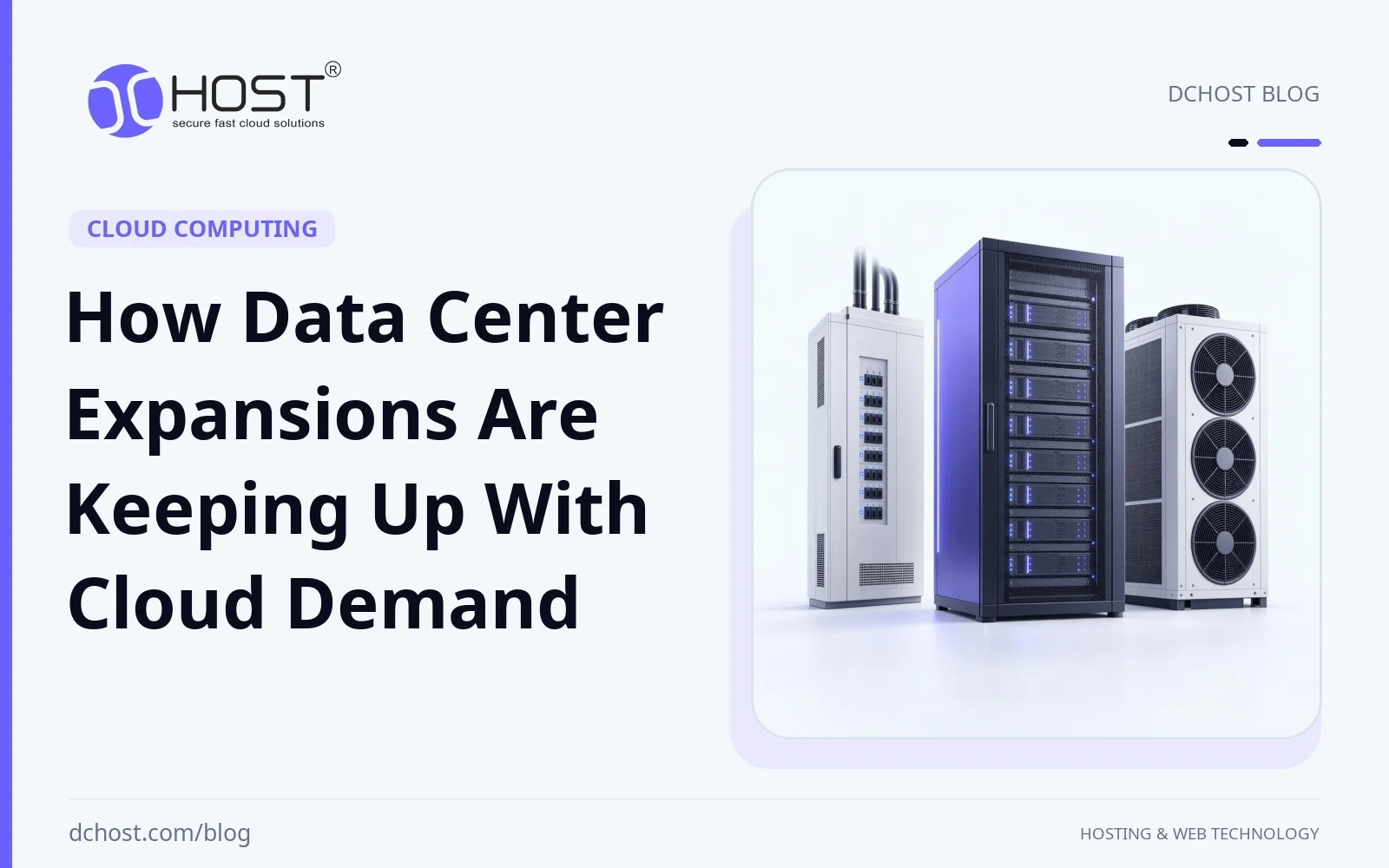
Cloud demand is no longer growing in neat, predictable lines. It is jumping in steps: a new SaaS launch here, an AI feature there, a regional rollout for a mobile app that suddenly needs low-latency capacity in three new countries. If you manage infrastructure, you feel this in your planning meetings and monthly reports: CPU graphs climbing faster than your budget, storage curves bending upwards, and traffic patterns becoming more spiky and global. Underneath all of that, there is one physical reality that has to keep up: the data centers themselves.
For example, a growing application might move from a simple shared plan to multi-region VPS clusters, or from a single dedicated server to a full rack of colocated hardware. Data center expansions are the quiet backbone that makes this possible. In this article, we will look at why cloud demand is rising so quickly, how modern data center expansions actually work, and what that means for your hosting strategy—whether you are running a single WordPress site or a latency-sensitive SaaS with customers across continents.
Cloud Demand Is Outpacing Traditional Capacity Planning
For a long time, capacity planning in hosting followed fairly stable patterns. You looked at average growth in traffic and storage, added a safety margin, and expanded your infrastructure on a yearly or quarterly cycle. That model alone can fall short for cloud workloads with sudden demand spikes.
Several forces are driving this new wave of demand:
- Always-on digital services: E-commerce, online learning, streaming, and collaborative tools are now core to daily life and business. Downtime can have significant reputational and financial consequences.
- Remote and hybrid work: More people working from anywhere means more VPNs, collaboration tools, and web applications that must be accessible globally with consistent performance.
- Data-heavy applications: Analytics, personalization, recommendation engines, and log-heavy observability stacks all demand large, fast storage and serious compute.
- AI and GPU workloads: Even teams that are not “AI companies” are adding ML-based features. These workloads can require power-dense GPU clusters and may have bursty demand, pushing data center designs in new directions.
- Regulatory and locality needs: Data residency requirements and privacy regulations are encouraging multi-region and country-specific deployments, rather than one big centralized environment.
If you are curious about the building blocks behind these environments, our article on what a data center is and why it matters for hosting is a helpful foundation. But the key point is this: demand is growing faster than the slow, linear build-outs of the past. To keep up, providers must rethink what “expansion” actually means.
What “Data Center Expansion” Really Means Today
When many people hear “data center expansion”, they picture more racks in a big room. In reality, modern expansion is a multi-layer effort across space, power, cooling, and network design. Adding racks only helps when sufficient power, cooling, and network capacity are available.
From More Racks to New Regions and Edge Locations
Expanding capacity inside a single facility is still common, but it is only one part of the story. Providers are increasingly:
- Building new halls or pods within existing campuses, each with its own power and cooling zones.
- Opening new regions in different cities or countries to reduce latency and satisfy data locality requirements.
- Rolling out edge sites closer to users for content caching, API acceleration, and low-latency workloads.
In practice, this might look like a customer starting with a VPS in one region, then extending to a dedicated server or a small colocation footprint in another region to serve a growing customer base. Under the hood, each new region is a full stack of power systems, connectivity, and resiliency design—not just another room with servers.
Power Density: A Growing Constraint Behind Expansion
Power density can constrain an expansion even when floor space remains available. A rack of GPU servers may exceed an existing rack’s power and cooling budgets, depending on the hardware and workload. Compare the proposed equipment’s requirements with the facility’s documented limits rather than assuming that available rack space means usable capacity.
To cope with this, expansions increasingly focus on:
- Upgraded electrical infrastructure: Higher-capacity transformers, more robust UPS systems, and better distribution to support dense racks.
- Dedicated high-density zones: Segregated areas or pods tuned for GPU and HPC workloads, with separate power and cooling designs.
- Smart power monitoring: Real-time visibility into PDU loads, per-rack usage, and capacity projections.
We explored this shift in more detail in our article about how AI demand is rewriting data center plans. The short version: if you are planning to deploy heavy compute, the question is less “Is there space?” and more “Is there enough power and cooling for this density?”
Cooling Strategies for High-Density Cloud and AI Workloads
Once you push power density up, cooling must follow. Traditional raised-floor cold air systems can work for many general-purpose workloads, but expansions increasingly incorporate:
- Hot and cold aisle containment to prevent mixing and improve efficiency.
- In-row or rear-door cooling units positioned closer to high-density racks.
- Liquid cooling for the densest GPU and HPC deployments, from direct-to-chip to immersion systems.
For customers, this matters because the type of workloads you plan to run—high-IO databases, CPU-heavy application servers, or GPU clusters—can influence placement within a facility and how capacity is reserved.
Network Capacity: Inside the Fabric and Out to the World
Data center expansion is not only about power and cooling. Network capacity is equally critical. Modern expansions carefully plan for:
- High-bandwidth leaf–spine fabrics to avoid internal bottlenecks between racks and clusters.
- Multiple upstream providers for redundancy and smart BGP routing.
- Regional and global connectivity for customers building multi-region or hybrid architectures.
When you deploy a cloud server or VPS, you are riding on top of this fabric. In our piece on what a cloud server is, we break down how virtualized compute sits on shared physical infrastructure. Data center expansions can add bandwidth and redundancy to support workload performance as aggregate traffic grows.
Planning Capacity for Cloud Workloads
From the outside, it can look like capacity just appears whenever you click “Create VPS” or “Order server.” Internally, there is a lot of forecasting and engineering behind that button. Capacity planning should be ongoing, even when physical expansions are delivered as discrete projects. Operational readiness must grow alongside hardware: include new nodes in provisioning and configuration management, monitoring and alerts, backup policies, and access controls before production use. Review staffing and incident-response capacity as the managed infrastructure grows.
Forecasting Based on Customer Demand Patterns
A regular capacity review can track trends across shared hosting, VPS, dedicated servers, and colocation services:
- VPS growth: How many new virtual machines are being created? What is their average vCPU, RAM, and storage footprint?
- Dedicated and bare-metal demand: Which CPU generations, storage layouts (HDD, SSD, NVMe), and network speeds are most requested?
- Colocation usage: How many customers are moving from 1–2 units to half or full racks? Are there more high-density requests?
- Traffic patterns: Are customers increasingly serving users from certain regions or countries that justify a local presence?
Planners can combine these metrics with signals from product launches and customer conversations. For example, a shift toward NVMe-heavy VPS workloads (discussed in our NVMe VPS hosting guide), could call for greater storage throughput and IOPS in future expansions, not just more raw terabytes.
Different products consume data center resources differently:
- Shared hosting can be constrained by CPU, RAM, storage capacity, or I/O, depending on the hosted workloads.
- VPS clusters need flexible pools of compute and RAM, plus storage designed for bursty workloads and the chosen migration approach.
- Dedicated servers occupy fixed space per chassis, but power draw, cooling demand, and utilization vary with hardware and workload.
- Colocation adds customer-controlled hardware into the mix, often with higher power density and custom networking needs.
An expansion can plan for a mix of these products. For example, a hypothetical expansion phase might reserve:
- Several racks tuned for VPS and cloud nodes (high RAM, NVMe, strong CPU density).
- Racks for dedicated servers with balanced resources and standard power draws.
- One or more colocation pods, with higher power budgets and flexible network cross-connect options.
This mix can make it easier to stay within the same data center campus as your needs evolve—from shared to VPS, from VPS to dedicated, or from dedicated to colocation—provided the required services and capacity are available. That can reduce migration friction and latency changes.
Planning Around IPv4 Scarcity and Network Growth
Modern data center expansion is not just about physical infrastructure; it is also about logical resources like IP addressing. IPv4 space, in particular, is under serious pressure worldwide. Each new rack of servers or cloud nodes needs an addressing plan as well as power and cooling; not every server needs its own public IPv4 address.
We have written about why IPv4 address prices are hitting record highs and what you can do about it. For providers, this means careful IP management, reasonable allocations per service, and a push toward IPv6 wherever possible. For customers, it is one more reason to work with a host that takes network planning seriously; you want clean, properly routed IP space that will not suddenly change because of poor planning.
Designing for Hybrid and Multi-Location Architectures
Environments can span multiple locations. Even a small team might run a mix of:
- Core databases and critical services in a primary data center.
- Staging or DR environments in a second location.
- CDN or edge services close to end users.
Capacity planning should consider how these patterns are evolving. Are more customers building active–active architectures? Are they using anycast DNS or geo-routing? Our article on multi-region architectures with DNS geo-routing and database replication shows how this looks in practice.
From a planning perspective, that means expansions must keep inter-region latency, bandwidth, and failover scenarios in mind. It is not enough to simply add capacity; we must add capacity that can participate cleanly in your redundancy and disaster recovery strategy.
Sustainability and Regulation Are Reshaping Data Center Expansions
The old mindset of “more megawatts, more racks” is being replaced by a more nuanced view where environmental impact and regulatory frameworks matter as much as raw capacity.
Energy Efficiency and the Push for Better PUE
Every new megawatt of IT load must be cooled and supported by electrical infrastructure. This is where PUE (Power Usage Effectiveness) becomes critical. A lower PUE means more of the incoming power is going to your servers, not to overhead like cooling and conversion losses.
Modern expansions focus on:
- More efficient cooling plants (free cooling, advanced chillers, liquid solutions).
- Better airflow management, including containment and thoughtful rack layouts.
- Monitoring and tuning to keep systems in their most efficient operating ranges.
We discussed these and other initiatives in our deep dive into data center sustainability initiatives that actually work. These measures can reduce infrastructure energy overhead. Their overall environmental benefit also depends on factors such as the electricity mix, water use, and hardware lifecycle.
Regulatory Pressures and Data Localisation
Expanding data center capacity today also means dealing with a patchwork of regulations around privacy, data sovereignty, and security standards. GDPR regulates transfers of personal data outside the EEA rather than imposing a blanket requirement to keep it there. Some local or sector-specific laws impose data-localisation requirements.
This has two major impacts on expansions:
- New regional facilities: Providers open or expand data centers in specific countries to enable compliant hosting and storage.
- Segmentation and controls: Within facilities, logical and sometimes physical separation is used to enforce compliance controls.
From a customer perspective, that can translate to choosing specific regions or products that are documented as compliant for certain use cases. Our guide on KVKK and GDPR-compliant hosting without the headache explores data localisation, logs, and deletion considerations.
Designing for Reliability: Tiers, Redundancy, and Maintenance Windows
When expanding a data center, reliability is a design requirement, not an afterthought. This shows up in:
- Redundant power paths (A/B feeds, dual UPS systems, backup generators with tested runbooks).
- Redundant cooling with N+1 or other redundant configurations designed to tolerate specified equipment failures; shared dependencies can still cause outages.
- Network redundancy across multiple upstream carriers and diverse fiber paths.
Depending on the design and your service connections, redundancy can allow planned maintenance without service interruption and reduce the risk of outages from unplanned events. If a provider advertises a Tier rating or certification, ask for documentation identifying the issuing body, the facility covered, and the scope assessed. Evaluate that evidence alongside your service SLA and actual power and network connections, rather than treating the label alone as an application-uptime guarantee. When evaluating where to place a critical database or high-traffic web application, understanding a data center’s redundancy design is just as important as knowing how much CPU and RAM you are getting.
What Data Center Expansions Mean for Your Hosting Strategy
All of this infrastructure work might feel abstract until you tie it back to concrete decisions you need to make about your hosting. Data center expansions can broaden your hosting options, but the available capacity and resilience depend on the facility and service you choose.
Scaling from Simple Sites to Complex Architectures
Many journeys start with a simple website on shared hosting and gradually move into more advanced setups. One possible path looks like this; not every project needs every stage:
- Shared hosting for a low-traffic site or early-stage project.
- VPS when you need custom software stacks, more control, or better isolation.
- Dedicated servers for high, stable workloads or compliance needs.
- Colocation once you have specific hardware requirements, large-scale deployments, or long-term cost advantages.
Our article on the real-world comparison of web hosting types walks through these options in depth. Data center expansions can make capacity available as your requirements change—potentially in the same campus or region, reducing network and migration complexity. Confirm availability before planning a move.
Planning for Growth Instead of Reacting to It
Cloud demand often feels unpredictable, but you can still plan for growth in a way that aligns with how data centers expand. A few practical tips:
- Think in capacity bands: Instead of adding one small server at a time, think about the next “band” of capacity you will need (e.g., doubling your current vCPU and RAM footprint) and when that might happen.
- Use staging and pre-provisioning: Keep a small amount of spare capacity—VPS, dedicated, or colocation—ready for sudden launches or marketing pushes.
- Design for horizontal scaling: Build your application so you can add more nodes instead of only scaling up a single machine. This plays much nicer with how providers grow their clusters.
- Leverage multi-region options: Even if you start in one region, design your DNS, databases, and storage with a second region in mind.
Data center expansions give you room to grow, but your architecture determines how easily you can use that room.
Latency, Proximity, and User Experience
As providers add more regions and edge locations, you have more choices about where to host your workloads. The main trade-offs to consider are:
- Latency vs. operational simplicity: A single-region deployment is easier to manage, but serving a global audience from one place can hurt performance.
- Data locality vs. consolidation: Keeping data close to users may be required by law—or simply best for user experience—but it adds operational complexity.
- Resiliency vs. cost: Multi-region setups cost more, but they can turn catastrophic outages into manageable failovers.
Our guide on what to do when one region goes dark is worth a read if you are at the stage of adding a second location. Data center expansions make those extra regions possible; your architecture choices determine how much you benefit from them.
Security, Compliance, and Operational Calm
Finally, modern data center design and expansion have huge implications for security and compliance. Strong physical security, segmented networks, certified processes, and robust logging are easier to achieve in well-run facilities than in ad hoc server closets or aging on-prem rooms.
From your side, you still need to handle server and application hardening, secrets management, backups, and monitoring—which we cover in various guides on the dchost.com blog. But starting with a solid data center foundation means your efforts stack on top of robust physical and infrastructure security, rather than trying to compensate for it.
Bringing It All Together
Growing data volumes, user bases, and AI workloads can increase infrastructure demand, while regulatory requirements can influence where that capacity is needed. Data center expansions are how providers quietly meet that demand: new halls, higher power density, smarter cooling, stronger networks, and more regions.
For you, this is an opportunity rather than just background noise. If you align your hosting strategy with how modern data centers are evolving, you can scale more calmly. Start small if you need to, but design with the next steps in mind: how will you move from shared hosting to VPS, from one VPS to a fleet, from a single dedicated server to a resilient cluster or a small colocation deployment?
If you are planning your next phase—whether that is a new SaaS launch, an e-commerce scale-up, or a migration from on-prem into a professionally managed facility—reach out and talk to us. Discuss your expected growth, deployment timeline, and power, cooling, and network requirements, and confirm capacity availability before committing to a scaling plan. The cloud may look virtual, but the planning behind it is very physical.