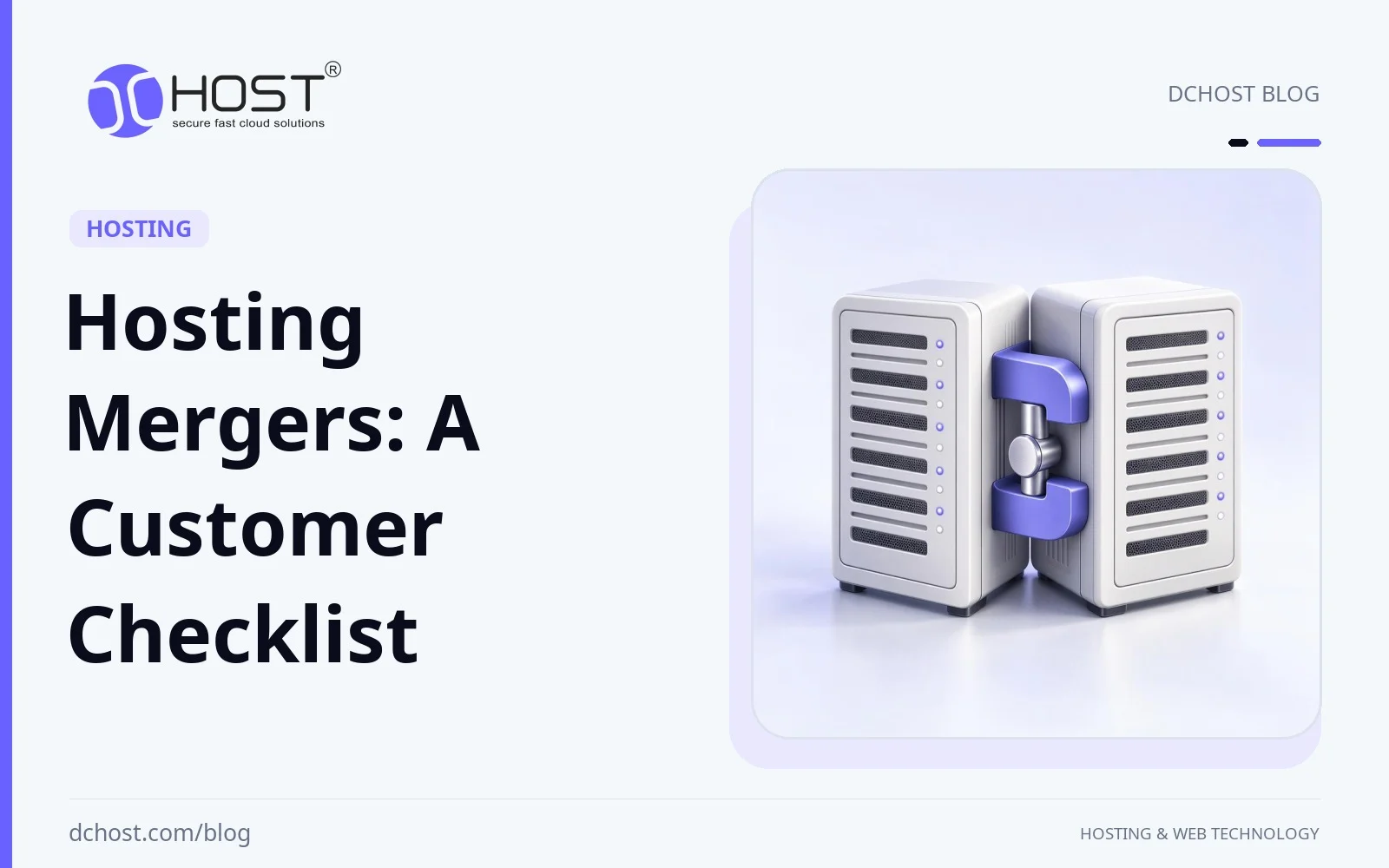
Hosting Mergers: What Customers Should Check
A hosting provider’s merger or acquisition raises practical questions about your service agreement, infrastructure and support. Hosting companies, domain registrars, VPS and dedicated server providers, and even data center operators can be involved in these transactions. If you manage websites, SaaS products, e‑commerce stores, or internal business systems, this consolidation can affect your uptime, costs, support quality, and long‑term roadmap. In this article, we will walk through why providers may consider mergers, what typically changes after a deal closes, and how to protect yourself so that an ownership change does not become a technical fire drill. The focus is a practical customer checklist: compare written commitments, identify planned changes and prepare for any announced migration.
Why Hosting Providers May Consider Mergers
From the outside, a hosting merger may look like a simple logo change. Technical and economic considerations may influence a transaction, but the reasons depend on the companies involved. Use their announcements and integration plans to assess what may change; the considerations below do not establish a historical increase in deal activity.
1. Infrastructure, Energy and Financing Costs
Running a modern hosting platform is capital‑intensive. Data centers require redundant power, cooling, physical security, and constant hardware refresh cycles. Energy contracts and financing terms affect operating and investment budgets; their direction and impact depend on the region, period and provider. For smaller providers, a merger may be one option for funding facilities or negotiating contracts. Efficiency gains and improved terms require evidence from the proposed arrangement.
If you want a refresher on what sits behind your hosting plan, it is worth revisiting how a data center actually works and why it matters for hosting quality. When a merger is announced, ask whether these facilities will change and how the provider will maintain service during any transition.
2. IP Address Capacity and Addressing Plans
IP address capacity and its cost are relevant questions in an infrastructure integration. Ask whether your existing addresses, additional-address charges and IPv6 support will change. A larger address pool alone does not establish lower customer costs or explain why a particular acquisition occurred.
We have covered this in detail in our article on IPv4 address costs and planning options. For a proposed merger, obtain the addressing and renumbering plan directly from the provider. The linked discussion does not establish the transaction’s motive or current market prices.
3. Security Expectations and Compliance Pressure
A hosting platform must plan for security risks appropriate to its systems and customers. DDoS, ransomware, credential stuffing, and supply‑chain attacks all require serious investment in mitigation, monitoring, and incident response. Check which legal and contractual obligations apply, including GDPR, KVKK or PCI DSS where relevant. Review responsibilities, data handling and required controls for your service; an ownership change does not by itself demonstrate compliance.
For smaller providers, modern security and compliance investments can be hard to fund. Seeking a strategic buyer is one possible response. For background on why security is such a big cost driver, you might want to read our guide on rising cybersecurity threats in the hosting industry.
4. AI, Storage, and Network Capacity Demand
AI workloads, high‑resolution media and web applications can have different storage, network and CPU requirements. Measure the relevant workload before specifying hardware or network upgrades. Partnerships or mergers are possible ways to share investment, but a transaction’s stated plan is needed to establish what capacity will actually be delivered.
As we described in our article about VPS and cloud hosting innovations you should be planning for now, trends like NVMe‑based VPS, containerization, and advanced network architectures can be useful, depending on workload requirements. Funding these capabilities can be another incentive for consolidation.
There is also a simpler, classic business explanation: if organic growth slows, buying customer bases can be a faster way to expand. Possible acquisition goals include entering new regions, acquiring specialized teams, or serving a particular niche (for example, WordPress‑only hosting, gaming servers, or enterprise‑focused colocation). This kind of strategic land‑grab can produce a long “tail” of migrations as different brands are slowly folded into unified platforms.
How Consolidation Changes the Hosting Landscape
A merger is not automatically bad news or good news. But it can bring operational changes. If you understand which areas are likely to shift, you can monitor them and react calmly instead of being caught off guard.
1. Product Portfolios and Technology Stacks
After a merger, the new owner may standardize around a smaller set of control panels, virtualization technologies, and network designs. For example, they might decide to move everyone to a single panel (such as cPanel, DirectAdmin, or Plesk), unify the hypervisor stack (KVM, VMware, etc.), or phase out certain legacy plans.
For you, this can mean:
- Changes in how you manage DNS, SSL, and backups within your control panel.
- Forced migrations between data centers or virtualization platforms.
- New resource limits or different ways CPU, RAM, and I/O are allocated.
Understanding your current panel’s features and limitations helps you adapt if a migration is announced. Our article on choosing between DirectAdmin, cPanel, and Plesk for VPS and reseller hosting can give you a solid baseline for evaluating post‑merger changes.
2. Pricing, Discounts, and Resource Limits
One of the most visible post‑merger changes is pricing. New owners may:
- Align all legacy plans to a new pricing grid.
- Remove “lifetime” or deeply discounted promotions.
- Adjust bandwidth, storage, or email limits to match their existing offers.
This does not always mean price increases; sometimes you gain more resources for a similar fee. But if your business depends on predictable costs, you should read new price lists carefully and compare them to actual usage. Our guide on cutting hosting costs by right‑sizing VPS, bandwidth, and storage can help you understand whether a plan change is really worse or simply different.
3. Support Model and Response Times
Support is often where customers feel a merger most strongly. Ticket systems might change, phone lines might be consolidated, and support teams might be reorganized by region or product line. You may notice:
- Different support hours or SLAs.
- Changes in how tickets are prioritized (for example, by plan type).
- New levels of support (managed vs unmanaged) or add‑on fees.
Monitor response times before and after the change. Take note of whether new support staff understand your stack (for instance, WordPress, Laravel, Node.js, or custom applications) or if you need to provide more context in tickets than before.
4. Network Topology, Latency, and SEO Impact
A merger may include data center consolidation or a move to different facilities. Ask whether your workloads will move and compare latency, availability and page performance for your actual audience before and after the change. Facility size or a new server location alone does not establish a better customer experience.
If your audience is sensitive to location, it is worth reviewing the impact of server geography on performance and search rankings. We have a deep dive on how server location affects SEO and speed, and how to choose the right region. Those same principles apply if a merger quietly moves your workloads from one country to another.
5. Service Reliability and Uptime Guarantees
Finally, consolidation often comes with revised Service Level Agreements (SLAs). You may see new uptime guarantees, maintenance windows, or compensation models. It is essential to understand what “99.9% uptime” or “99.99% uptime” really means in hours of downtime per month and what happens when targets are missed.
If you have not looked at hosting SLAs in a while, our article on what 99.9% uptime actually means and how to read hosting SLAs is a good companion to this section.
What Mergers Mean for Your Domains, DNS, and Email
Consolidation is not limited to hosting plans; domain registrars and DNS providers are also merging. This can subtly change how your domains, DNS records, and email routing are managed.
1. Registrar Takeovers and Domain Portfolio Risk
If your domain registrar is acquired, the change can affect renewal pricing, grace periods, WHOIS privacy policies, and support responsiveness for domain‑related issues. We have already written a domain‑specific playbook in our guide to domain industry mergers and acquisitions. The core lessons carry over here:
- Keep domain renewals under your direct control, not scattered across many logins.
- Export and document DNS and WHOIS settings before any big platform migration.
- Review auto‑renew settings and payment methods after ownership changes.
2. DNS Platform Migrations
Merged registrars and hosts sometimes migrate all DNS zones into a new system. During that process, misconfigured or missing records can lead to downtime, broken email, or SSL issues. Make sure you understand your current DNS:
- Export the full DNS zone, including any CAA records and delegated subdomains, rather than relying only on a list of common record types.
- Note any custom SPF, DKIM, or DMARC settings for email.
- Record TTL values, especially for critical records.
- If DNSSEC is enabled, coordinate signing and the parent zone’s DS records with both providers before changing nameservers.
If you are not fully comfortable with these record types, our beginner‑friendly guide on DNS records (A, AAAA, CNAME, MX, TXT, and SRV) and how they work is a good foundation before any migration.
3. Email Deliverability Side Effects
Platform changes can sometimes affect IP reputation, reverse DNS (PTR), or spam‑filter behavior for shared mail servers. A merger might mean:
- Your outgoing IPs change to a new range.
- Mail from more customers shares the same sending IPs, potentially affecting those IPs’ reputation.
- SPF/DKIM/DMARC records need updating for the new infrastructure.
If your post‑merger emails suddenly start landing in spam, use our deliverability checklist in why emails go to spam and how to fix it on shared hosting and VPS to systematically diagnose and correct the issue.
Risk Checklist When Your Hosting Provider Is Acquired
When you receive an email saying “We are excited to announce that we’ve joined forces with…”, it is tempting to archive it and hope nothing breaks. Instead, treat it as a signal to run a quick, structured risk assessment. Here is a practical checklist for assessing a recently merged provider and preparing for a possible migration.
1. Backups and Recovery
- Full account backups: Immediately generate complete backups of files, databases, and email where possible.
- External copies: Store at least one copy outside of the current provider (local or another location).
- Recovery tests: Verify that backups can actually be restored on a test environment.
If you want a framework for this, our article on the 3‑2‑1 backup strategy and automating backups on cPanel, Plesk, and VPS walks through a robust, provider‑independent approach.
2. SLA, Uptime, and Maintenance Windows
- Compare old and new SLA documents side‑by‑side.
- Note any changes to uptime guarantees, scheduled maintenance policies, or compensation rules.
- Update your own internal SLAs (toward your clients or teams) accordingly.
If you promise 99.9% uptime to your own customers, you must know whether your upstream provider still makes that realistically possible.
3. Network and Location Changes
- Confirm whether your server’s data center or IP range is scheduled to change.
- Run latency and throughput measurements before and after migration.
- Confirm physical hosting and data-processing locations through provider documentation if location matters for compliance. External IP geolocation tools can flag discrepancies but do not prove data residency.
If latency spikes or reported geolocation shifts, confirm whether the workload actually moved and investigate routing or geolocation errors first. Consider moving or splitting workloads across regions if the verified location or performance no longer meets your requirements.
4. Panel, API, and Automation Compatibility
- Inventory any scripts, CI/CD pipelines, or tools that talk to your hosting panel or API.
- Check whether the new platform exposes compatible APIs or requires rewrites.
- Plan time for updating deployment, backup, and monitoring scripts.
Automation is often forgotten during mergers, but broken deploy or backup scripts can hurt you more than a brief manual panel change.
5. Contract Terms, Data Processing, and Compliance
- Review data processing agreements (DPA), sub‑processor lists, and data‑location clauses.
- Ensure the new entity still meets your GDPR/KVKK or sector‑specific obligations.
- Update your own privacy documentation and internal records of processing activities.
- Check termination rights after a merger, acquisition or rebranding, including early-exit penalties on long-term contracts.
- Confirm data-export and backup-delivery terms, price-change notice periods and how changes apply to your existing contract.
For heavily regulated businesses, this step is as important as uptime. A change in where or how data is processed can require formal updates to your own compliance posture.
Architecture Strategies to Stay Resilient in a Consolidating Market
You cannot control who buys whom in the hosting world. But you can design your architecture so that a merger does not automatically threaten your availability or roadmap.
1. Keep Domains and DNS Independent of Your Hosting Account
One of the best resilience moves is to decouple DNS from any single hosting account. Use nameservers and DNS management that you control centrally, and make sure you can quickly point records to another provider if needed.
Our guide on setting up private nameservers and glue records describes how to manage nameserver names and their address mappings when servers move. Private nameserver branding alone does not provide independent DNS hosting or redundancy.
2. Design for Migratability
Ask a simple question while designing or refactoring any site or app: “How hard would it be to move this to another VPS or dedicated server?” Good practices include:
- Keeping application code in version control (Git) with clear deployment scripts.
- Using configuration management (Ansible, scripts) instead of manual tweaks on servers.
- Separating application, database, and storage concerns so you can move pieces independently.
Even if you never migrate, designing for easy moves makes upgrades and scaling much smoother.
3. Multi‑Region and Anycast Where It Matters
For critical workloads, consider redundancy across regions or even providers. Anycast DNS can improve DNS availability; keeping the site available also requires working application and data replicas. Health checks and automatic failover can direct traffic to those replicas during data center incidents or migrations, subject to DNS caching and failover delays. Not every project needs this architecture: weigh its cost and management burden against acceptable downtime and data loss, and test restoration and failover before relying on it. Different regions within the same provider do not provide independence from that provider’s pricing or policy changes.
If this sounds complex, we have broken it down in two articles that complement this topic well: how Anycast DNS and automatic failover keep your site up when everything else goes sideways, and how to build multi‑region architectures with DNS geo‑routing and database replication.
4. Keep Monitoring and Logs Under Your Control
Do not rely solely on your provider’s status page to know what is happening. Independent monitoring (HTTP checks, ping, SSL expiry checks) and centralized logging make it easier to distinguish between a brief hiccup and a real platform‑level problem. Keep monitoring and retained log copies outside the infrastructure they observe so that a single outage does not take both offline.
For VPS‑level observability, our practical guide on monitoring and alerts with Prometheus, Grafana, and Uptime Kuma shows how to set up a stack that keeps you informed regardless of who owns the underlying infrastructure.
Evaluating a Hosting Provider’s Approach to Growth and Mergers
When evaluating a hosting provider, look beyond its growth plans to how it handles service dependencies, infrastructure changes, and migration support. These criteria help you assess how much control you would retain after an acquisition.
1. Clear Separation Between Core Services
Check whether domains and hosting can be managed independently, and whether moving between shared hosting, VPS, dedicated servers, or colocation would require changes to unrelated services. Before committing, establish who handles the migration and what it costs. Our guide on planning a move from shared hosting to a VPS provides a migration checklist; whether zero downtime is achievable depends on the application and cutover plan.
2. Transparency Around Infrastructure Changes
Ask how the provider announces hardware upgrades, new locations, and network redesigns: what notice is given, which services are affected, and what action customers must take. For larger architectural changes, establish whether migrations are optional and what timetable, rollback options, and support apply.
3. Planning an Exit from a Post‑Merger Platform
If an acquisition leads to slower support, unexpected invoices, or forced panel changes, treat a potential move as a structured project: audit the current environment, design a like‑for‑like or improved replacement, rehearse the migration, and set a cutover and rollback plan with an acceptable downtime target.
Map the dependencies between compute, domains, and DNS before choosing the replacement stack. Keeping those boundaries explicit can make it easier to replace one service without rebuilding everything else.
4. Long‑Term View on Standards and Protocols
Finally, assess IPv6 support, current TLS support, backup export and restore options, and compatibility with open-source tooling. Supported protocols and portable data formats can reduce migration friction, but compatibility with the destination environment still needs to be checked.
Planning for a Provider Ownership Change
When a hosting provider announces a merger or ownership change, assess the specific service and integration plan. Record changes to contracts, support, data portability and costs, and request clarification where details are missing. Decide whether migration or provider diversification is justified by your dependencies, measurements and operational capacity.
The practical way forward is calm and methodical: keep independent backups, own your DNS and domains, design for migratability, and monitor your own uptime and performance. Treat any merger announcement as a reminder to review SLAs, pricing, and architecture, not as a reason to panic.
If you are considering a move after an acquisition, compare suitable shared hosting, VPS, dedicated server, and colocation options against your workload and operational capacity. Before signing, request written migration responsibilities, a cost estimate, and a cutover schedule so that the decision rests on a workable plan rather than a promise of improvement.