Data centers house the servers, storage and networking equipment that support websites and other digital services. Their power, cooling and connectivity help keep hosted services available, though no facility can eliminate every outage. This article explains what data centers are, how they operate and why their infrastructure matters when choosing web hosting.
What is a Data Center?
A data center is a facility designed to house IT equipment used to store, process and distribute data. It contains servers, network devices and storage systems, supported by power, cooling and other infrastructure. Data centers support services ranging from websites to cloud applications, but not all internet content is hosted in dedicated data centers.
The core functions of data centers include:
- Data Storage: Housing storage systems that hold website files, databases and other digital information.
- Data Processing: Providing servers that run applications and process requests.
- Network Communication: Connecting systems to one another and to users over networks.
Structure of a Data Center
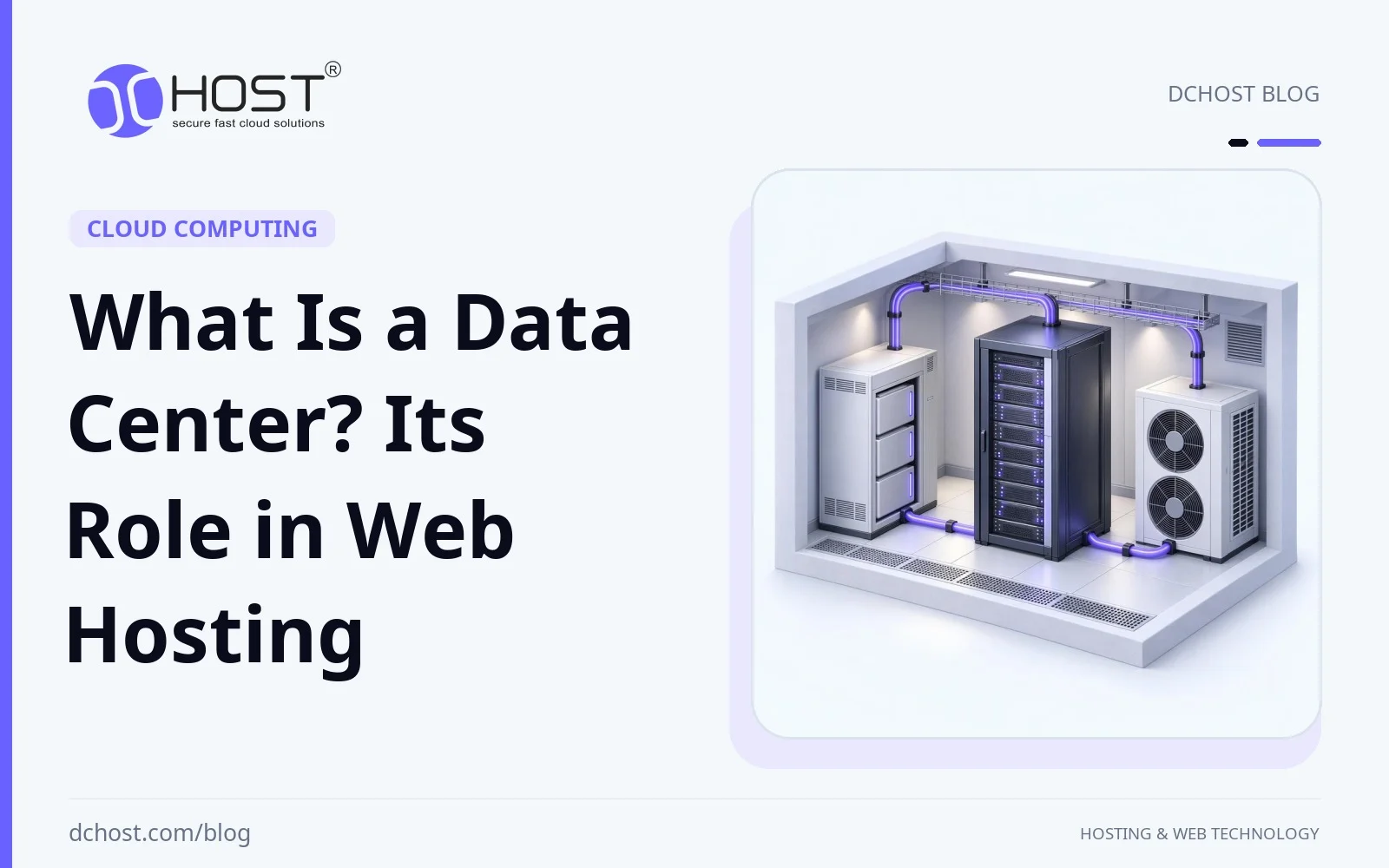
A data center combines a physical facility with infrastructure designed to support reliable IT operations. Its capabilities depend on its design, maintenance and operating practices. Typical elements include:
- Servers: Computers that run websites, applications and databases.
- Network Equipment: Routers and switches that carry traffic between systems and external networks.
- Cooling Systems: Equipment that removes heat and keeps IT hardware within suitable operating temperatures.
- Backup Power Supplies: Uninterruptible power supply (UPS) systems can bridge short power interruptions, while generators can support longer outages. Continuity depends on capacity, maintenance, fuel and successful failover.
- Security Systems: Physical controls can include restricted access, cameras and biometric authentication. Digital controls such as firewalls and encryption may be managed by the facility operator, hosting provider or customer, depending on the service.
What is Web Hosting?
Web hosting is a service that provides the server resources and connectivity needed to make a website accessible on the internet. Website files, images, videos and databases are stored or processed on servers that respond to visitors’ requests. Commercial hosting providers typically operate these servers in data centers, either in their own facilities or in space leased from another operator. Hosting is the service you purchase; the data center is the physical infrastructure supporting it.
The Importance of Data Centers in Web Hosting
A data center’s infrastructure affects the reliability, connectivity and physical security of hosted systems. Website results also depend on the hosting plan, server configuration and application. Here is how the facility contributes:
1. Availability
Continuous access is particularly important for e-commerce sites and service providers. Redundant power supplies, network connections and equipment can reduce outages, but their effectiveness depends on design, maintenance and failover procedures. Facility redundancy does not prevent every server, application or network failure.
2. Data Security
Physical access controls help protect servers against unauthorized access and tampering. Digital protections such as firewalls, encryption and DDoS mitigation depend on the hosting service and its configuration; they are not automatically included simply because a server is in a data center. Confirm what the provider manages and what remains your responsibility, including application updates and access credentials.
3. Backup and Recovery
Backups can help recover website data after deletion, corruption or system failure, but data center infrastructure alone does not provide website backups. Check whether your hosting plan includes them, how often they run, how long copies are retained and whether they are stored independently of the primary system. Copies in a separate location can reduce exposure to a facility-wide incident. Recovery time and the amount of data that can be restored depend on the backup schedule, scope and restore process, which should be tested.
4. Performance
Suitable server hardware and well-connected networks can help websites respond quickly. Actual loading speed also depends on resource contention, caching, application code, database queries and page size. Better performance can improve user experience, but choosing a particular data center does not guarantee faster pages or higher search rankings.
5. Geographic Location
A data center near your audience can reduce network latency, although routing and network quality also matter. A content delivery network (CDN) can serve cached content closer to visitors in other regions. Choose a location with your audience, application needs and any applicable data-location requirements in mind.
6. Scalability
Growth may require more computing resources, storage or network capacity. A data center provides the physical foundation for expansion, but available upgrades depend on your provider’s capacity and hosting plans. Ask whether scaling requires a plan change, server migration or maintenance window rather than assuming it is automatic or interruption-free.
Types of Data Centers
Data centers can be grouped by who operates them and how their infrastructure is used. These categories can overlap:
- Enterprise Data Centers: Facilities operated for an organization’s own IT needs. They offer control over infrastructure, but require investment, staffing and maintenance; security and performance depend on their implementation.
- Service Provider Data Centers: Facilities used to deliver services such as web hosting, managed servers or cloud computing to customers of different sizes. A service provider may own the facility or lease space in one.
- Colocation Data Centers: Facilities where customers install their own equipment while the operator supplies space, power, cooling, physical security and connectivity options. Customers typically manage their hardware and software unless they purchase additional management services.
Data Center Criteria When Choosing Web Hosting
When comparing hosting providers, evaluate both the facility infrastructure and the services included in your plan. Useful questions include:
- Security Measures: What physical access controls protect the facility? Which firewall, DDoS mitigation and encryption capabilities are included in the hosting service, and who configures and maintains them?
- Backup and Recovery Plans: Are website files and databases backed up? Check frequency, retention, storage location, restore procedures, any recovery charges and who is responsible for testing restores.
- Uptime Commitments: A 99.9% uptime commitment allows some downtime; it does not mean continuous operation. Read the service-level agreement (SLA) for the service covered, measurement period, exclusions and remedies. Facility power or network availability is not the same as end-to-end website availability.
- Performance and Location: Review server resources, storage, network connectivity and proximity to your audience. Ask about shared-resource limits and upgrade options, since facility specifications alone do not establish how your website will perform.
Conclusion
Data centers provide the physical foundation for web hosting through power, cooling, connectivity and protection for IT equipment. These capabilities matter, but website reliability, security and speed also depend on the hosting service and how the site is managed. When choosing a provider, assess the facility alongside the plan’s resources, security responsibilities, backup arrangements and uptime terms. This gives you a clearer basis for selecting hosting that fits your site’s needs and growth.