
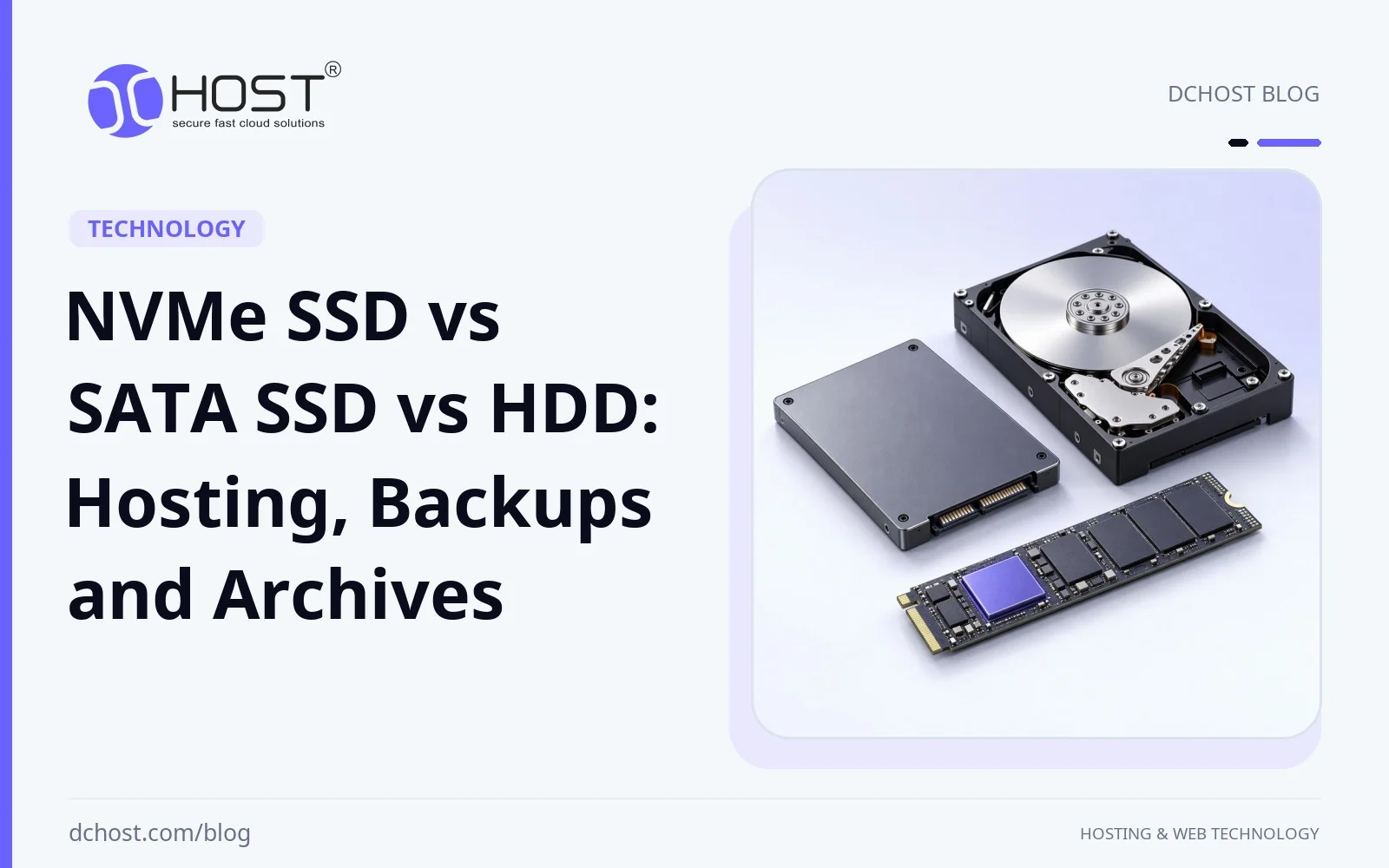
When designing or reviewing a hosting stack, the disk layout deserves attention alongside CPU and RAM. For storage-bound websites, databases and backups, storage type can decide whether the platform feels snappy, merely acceptable, or painfully slow. The big question is simple: should you rely on NVMe SSD, SATA SSD or classic HDD – and in which combination – for web hosting, backups and long‑term archives?
In this article we will walk through the production considerations for these three storage technologies: latency, IOPS, throughput, endurance, failure patterns and cost. Then we will map them to concrete use cases: shared hosting, VPS and dedicated servers, off‑site backups and cold archives. By the end, you will have a framework for deciding when NVMe’s additional I/O capacity is useful, when SATA SSD is sufficient, and where large, inexpensive HDDs make sense—without assuming a fixed SATA/NVMe price hierarchy.
1. Storage Types at a Glance
1.1 HDD (Hard Disk Drive)
HDDs store data on rotating magnetic platters. Mechanical heads move to the required track; rotation and head positioning can delay requests that are not served from cache. The documented Exos X20 example below runs at 7,200 RPM; that is a property of this model, not every HDD.
Key characteristics:
- Capacity: the Exos X20 example below provides 20 TB per drive; usable capacity depends on formatting and redundancy.
- Mechanical access: seeking and rotation affect random IO when a request reaches the platters.
- Sequential transfer: sustained speed varies across the disk; the table identifies the manufacturer’s outer-track value rather than an unmeasured class-wide range.
- Physical conditions: check the specific drive’s vibration, shock, temperature and power limits. Mechanical components, electronics and firmware can all fail.
For hosting, HDDs are generally a poor fit for I/O-heavy active databases or busy PHP applications, but they still shine for large backups and cold archives where capacity and cost matter more than per‑request speed.
1.2 SATA SSD (Serial ATA Solid State Drive)
SATA SSDs store data in NAND flash and use a SATA connection, commonly presented to the operating system through an AHCI host controller. SATA 6 Gb/s describes the link’s signalling rate, not a file-transfer rate: encoding, protocol overhead and the device’s own limits reduce delivered throughput. The PM893’s 550 MB/s sequential-read rating below belongs to that specific model.
Key characteristics:
- No mechanical seek: flash avoids head movement and rotation, which can help random IO.
- Connection limits: compare sustained performance under the required load, not the SATA signalling rate.
- Random IO: the table gives documented PM893 read and write ratings with their block size and queue depth; application gains still depend on cache and workload.
- Price per GB: generally higher than HDD; compare SATA and NVMe models at similar capacity and endurance rather than assuming SATA is cheaper.
For many small to medium websites, a well‑configured SATA SSD‑based VPS or dedicated server already feels very fast. However, for heavily loaded MySQL/PostgreSQL databases, WooCommerce or Magento stores, SATA SSD storage can become an I/O bottleneck sooner than NVMe, depending on the drives and workload.
1.3 NVMe SSD (Non‑Volatile Memory Express)
NVMe is a protocol designed for non-volatile memory. This guide focuses on local NVMe SSDs connected through PCIe. The NVM Express architecture supports parallel IO queues that can be mapped to CPU cores. Available queue counts and depths depend on the controller and driver configuration; the protocol’s maximum capacity is not a promise for every drive. PCIe generation and active lane count affect transfer capacity, while M.2 and U.2 describe form factors rather than performance classes.
Key characteristics:
- Low latency: actual read and write latency depends on the drive and workload, not just the NVMe interface.
- Transfer capacity: the PM9A3 example below uses PCIe Gen4 x4; a different generation, active lane count or drive can deliver different results.
- Random IO: the table gives model-specific read and write ratings. Peak IOPS do not determine application capacity or individual request latency.
- Variable cost per GB: compare current prices for the required capacity, endurance and performance; NVMe does not necessarily carry a premium over SATA SSD.
For more detail on these differences in hosting scenarios, see our NVMe VPS hosting guide covering IOPS and latency. NVMe is a strong option for active web hosting workloads, especially when many users or transactions hit the disk at the same time.
2. Performance: IOPS, Throughput and Latency
For hosting and backups, three metrics decide how storage feels:
- Latency: how long a single read or write takes.
- IOPS (Input/Output Operations per Second): how many read or write operations complete per second.
- Throughput: MB/s or GB/s when streaming or copying large files.
2.1 Documented device examples
These examples use the manufacturers’ stated document revisions: Samsung Revision 1.0, August 2022, and Seagate Revision B, October 2021. They are neither current buying recommendations nor benchmarks run by DCHost. Read and write figures describe separate tests, not a mixed workload. They are stated maximum values; different platforms and conditions prevent direct speed-up ratios or hosting-plan guarantees. MB and GB here use decimal units.
| Device and connection | Sequential transfer | 4 KB random IO | Conditions disclosed in the document |
|---|---|---|---|
| Samsung PM893, 3.84 TB MZ7L33T8HBLT-00W07; 2.5-inch SATA 6 Gb/s | Read: up to 550 MB/s Write: up to 520 MB/s | Read: up to 98,000 IOPS Write: up to 30,000 IOPS | FIO 2.7; QD32; Intel Z170 SATA 6G port; whole LBA range; write cache enabled. 4 KB is the random-IO block size; this short document does not specify the sequential-test block size. |
| Samsung PM9A3, 3.84 TB MZQL23T8HCLS-00W07; U.2; PCIe Gen4 x4, NVMe 1.4 | Read: up to 6,900 MB/s Write: up to 4,100 MB/s | Read: up to 1,000,000 IOPS Write: up to 180,000 IOPS | General performance footnote: FIO 2.7; CentOS 7, kernel 5.3.1; 4 KiB (4,096 bytes) transfers, QD32 and four workers; full LBA span, sustained state. The document does not give separate configurations for each test or a cache setting; do not assume that the sequential test used different conditions. |
| Seagate Exos X20, 20 TB ST20000NM007D; SATA 6 Gb/s; 7,200 RPM | Maximum sustained transfer at the outer diameter: 285 MB/s (272 MiB/s) | This manual provides no comparable 4 KB IOPS rating. | Unless stated otherwise, 25°C and nominal power; the outer-track value is not a whole-drive average. Block size, queue depth, read/write mix and cache setting are not disclosed for this transfer figure. |
Measure latency separately. These documents do not provide comparable read/write latency percentiles under matching conditions, so a generic microsecond table would be misleading. Record block size, read/write mix, queue depth, cache state and drive fill level for your workload; examine P95/P99 as well as average latency. A queue depth that raises IOPS can also increase individual request latency. RAID, virtualisation, shared load and plan IO limits affect the result. Compare current prices for equivalent capacity and endurance alongside usable capacity and recovery cost.
2.2 What this means for web hosting
Web applications – WordPress, WooCommerce, Laravel, custom APIs – often generate small random reads/writes for PHP files, cache items, database pages and session data. When these requests reach disk and dominate response time, latency and IOPS matter more than raw sequential MB/s.
- On HDD, each random read can cost several milliseconds. As traffic grows, storage contention can increase IOwait and slow page loads even if CPU and RAM are not bottlenecks.
- On SATA SSD, random I/O latency is generally much lower than on HDD. Most small to medium sites will feel fast, but during peak load you may still hit IOPS limits, especially for database‑heavy workloads.
- On NVMe, higher I/O capacity can reduce storage bottlenecks, but the limiting factor still depends on the workload, drive and any hosting-plan I/O limits.
For busy stores or SaaS apps with substantial random I/O, SSD storage is generally a better application-tier choice than HDD; SATA versus NVMe should follow measured demand and budget. If you are struggling with slow TTFB or random spikes in IOwait on an existing VPS, our article on diagnosing CPU, IO and MySQL bottlenecks when your site is slow only at certain hours will help you decide if the disk layer is your limiting factor.
2.3 Performance for backups and archives
Backups and archives can behave differently from live applications. Full backups and restores of large files or volumes may involve mostly sequential transfers. File-by-file backups, incremental jobs and deduplicated repositories can also generate substantial metadata work and random I/O. Identify the actual access pattern before choosing the target storage.
- HDD: sequential throughput can suit large archives, but restore duration must meet your recovery-time target.
- SATA SSD: can accelerate copies and restores when target storage is the bottleneck, especially with parallel jobs or random I/O.
- NVMe: often unnecessary for cold storage, but useful when backup or restore jobs need more IOPS or throughput than the alternatives can deliver. Source storage, network bandwidth, compression and encryption can still limit the job. A hot backup means the source remains online; that alone does not establish a need for NVMe.
One possible layout uses SATA or NVMe SSDs for primary live data and HDD-based storage for long‑term backup retention. Object storage is another retention option, but it describes an access model rather than the underlying disk type. Our article on object vs block vs file storage for web apps and backups explains how these layers fit together in a realistic stack.
3. Reliability, Endurance and Failure Modes
3.1 How HDDs fail
HDD failure modes include motor or head issues, surface defects, bearing wear and vibration‑induced problems. Some failures occur without warning; possible warning signs include:
- Growing counts of reallocated or pending sectors in SMART data.
- Intermittent IO errors in syslog or dmesg.
- Noticeably higher latency or IOwait under the same workload.
Monitoring can sometimes identify a degrading HDD for proactive replacement; redundant RAID can maintain availability during a disk failure. However, rebuilding a redundant array with large-capacity drives can take a long time and add I/O load, reducing performance while redundancy is degraded.
3.2 How SATA and NVMe SSDs fail
SATA and NVMe SSDs have no moving parts, but their flash wears with writes. Write endurance is not a guarantee against other failures. Vendors specify:
- TBW (Terabytes Written): the rated cumulative write allowance, typically used as an endurance limit in warranty terms, not a precise failure threshold.
- DWPD (Drive Writes Per Day): how many full-capacity writes per day the device is rated for over a specified endurance period.
MTBF and annualised failure rates are population reliability statistics, not individual drive lifetimes or write-endurance limits. Interpret them under the manufacturer’s operating conditions, separately from TBW/DWPD.
For 24/7 hosting, compare the specific drive’s rated endurance, sustained performance and documented power‑loss protection rather than relying on the NVMe interface or an enterprise label alone. Check that its write allowance fits the expected workload over the intended service life. Wear and health indicators vary by model and interface; consult the drive documentation when interpreting endurance percentages, media errors or reallocated blocks.
Flash wear can often be estimated and monitored, but not every drive failure gives advance warning. Redundant RAID, health monitoring and capacity planning help manage availability risks; none removes the need for separate backups. Disk monitoring can be combined with broader metrics using tools like Prometheus and Grafana; our guide to setting up VPS monitoring and alerts with Prometheus, Grafana and Uptime Kuma covers broader monitoring and alerting setup.
3.3 RAID and redundancy considerations
No matter which technology you use, RAID is not a backup, but redundant RAID levels can help maintain service during a disk failure:
- RAID1/10 with NVMe SSD: an option for hosting tiers that need high I/O performance and protection against a single‑disk failure; choose the drives and layout for the workload.
- RAID6/RAIDZ2 with HDD: options for large backup pools, tolerating two disk failures per RAID6 array or RAIDZ2 vdev, with parity-write overhead.
- Mixed approach: NVMe RAID1 for system + databases, HDD RAID for local backups; retain off‑site copies as well.
Effective backups remain non‑negotiable. Keep separate off‑site copies, protect backups with encryption and test restores against your recovery objectives; RAID status and successful backup-job completion alone do not establish recoverability. If you are planning a serious backup policy, our article on designing a backup strategy using RPO/RTO concepts for blogs, e‑commerce and SaaS sites explains how to decide what you must protect and how often.
4. Cost and Capacity Planning: Where Each Technology Makes Sense
Budgets are real. It is easy to say “always pick NVMe”, but that is not always the best use of your money. The trick is to understand cost per GB vs cost per IOPS.
4.1 Comparing cost per GB and cost per IOPS
- HDD: generally low cost per GB, making it a candidate for multi‑terabyte backups and archives when recovery targets permit.
- SATA SSD: can suit small to medium VPS and databases; compare prices with equivalent NVMe models.
- NVMe SSD: cost per GB overlaps with SATA SSD and varies with capacity, endurance and drive class; cost per IOPS can be lower for demanding workloads.
Compare “cost per 1,000 IOPS” using performance under comparable workload conditions, not unrelated peak specifications. For hosted plans, include the plan’s I/O limits and total price. Additional IOPS have little value if your application does not need them, so weigh usable capacity, endurance and recovery requirements alongside performance.
4.2 Storage layout options
- Pure NVMe: all data (code, database, media) on NVMe. High I/O performance; useful for storage‑bound high‑traffic stores, agencies running many busy sites, or SaaS apps. Compare capacity costs with hybrid layouts.
- Hybrid NVMe + HDD: live site on NVMe, nightly/weekly backups on HDD or remote object storage. Keeps fast storage for live workloads while using lower‑cost capacity for backup retention.
- All HDD: best suited to cold storage, large archives, or secondary backup tiers where delay is acceptable.
When right‑sizing a hosting plan, check disk capacity and I/O limits alongside CPU and RAM; extra compute resources will not resolve a storage bottleneck. Our article on cutting hosting costs by right‑sizing VPS, bandwidth and storage goes into detail on how to balance these dimensions without paying for resources you do not use.
5. Which Storage for Web Hosting?
5.1 Simple sites and small business websites
For an illustrative small‑site scenario—a few corporate pages, a blog or a brochure‑style website—assume the following profile:
- Disk size: below 10–20 GB per site in this example.
- I/O pattern: mostly reads, occasional writes during updates.
- Traffic: hundreds to a few thousand visits per day.
In this scenario, SATA SSD can be sufficient when measured IO demand and latency targets are met. It can noticeably improve storage‑bound operations compared to HDD, but you might not see dramatic gains from NVMe unless you run multiple sites or heavier applications on the same server.
5.2 WordPress, WooCommerce and database‑heavy sites
Once you run WooCommerce, membership portals, forums or custom web apps, the story changes. Database queries, session writes and cache invalidations can dominate the I/O pattern. When storage is a bottleneck, low latency and high IOPS can improve user experience and checkout speed.
For storage‑intensive workloads, consider these options:
- NVMe SSD (RAID1/10): a strong candidate for storage‑bound WooCommerce, large WordPress sites with many plugins, and Laravel/Symfony backends under constant load.
- SATA SSD: acceptable for medium loads, but you may hit disk limits earlier during flash sales or traffic spikes.
- HDD: strongly discouraged for the primary database or web root of an active store.
If you are planning an e‑commerce project, our dedicated article on hosting Magento with the right CPU, RAM, NVMe and Redis configuration discusses storage alongside CPU, RAM and caching requirements.
5.3 SaaS, APIs and custom applications
For SaaS platforms and high‑traffic APIs, performance is typically a mix of:
- Database latency (MySQL/PostgreSQL).
- Queue processing (Redis, RabbitMQ, etc.).
- Log writes and application cache.
In these setups, NVMe SSD is a strong option when storage I/O limits performance. For example, moving a disk‑bound database from older drives to NVMe may provide growth headroom before separating database servers or sharding. It will not resolve CPU, memory or query‑design bottlenecks.
The type of plan you use also matters:
- Shared hosting: you share disks with many other users, so SSD or NVMe at the provider side is important to keep the overall IOPS pool high.
- VPS: CPU sharing, RAM allocation and I/O limits depend on the plan; guaranteed dedicated resources should not be assumed. NVMe‑backed VPS plans can suit demanding projects, but the plan’s I/O limits also matter.
- Dedicated server or colocation: more control of disk topology, subject to available hardware and service terms (NVMe for OS and DB, HDD for backups, custom RAID, ZFS, etc.).
If you are trying to decide between a VPS and a dedicated server, our article “Dedicated server vs VPS: which one fits your business?” walks through the trade‑offs between dedicated hardware and a virtual environment. Management services are a separate plan choice.
6. Which Storage for Backups and Archives?
6.1 Backups vs archives: different goals
First, it helps to separate two concepts:
- Backups: copies you keep to recover quickly from accidental deletions, hacking, code bugs or hardware failure. You expect to restore them occasionally and relatively fast.
- Archives: long‑term storage kept for defined retention needs, such as tax records, legal obligations or historical reference. You rarely touch them, and restore speed is less critical.
Because the goals are different, the optimal storage technology may also differ.
6.2 Storage choices for backups
Good backup practice is usually built around the 3‑2‑1 principle: three copies of your data, on two different media, with one copy off‑site. We explain this in detail in our 3‑2‑1 backup strategy guide for cPanel, Plesk and VPS. How do NVMe, SATA SSD and HDD fit into that picture?
- Local fast backups (same server): using another partition or disk on the same NVMe or SSD array can allow quick restores, but does not protect against loss of that array or full‑server failure. It is a convenience layer, not your only backup.
- Secondary local backups (same data center): an HDD array can provide economical capacity if backup and restore windows are met. Compare current costs and test recovery; RAID alone is not a backup.
- Off‑site backups (another region or provider): object storage is one option. You access it over the network rather than as a direct block device; choose a service whose retention, restore speed and transfer costs fit your recovery goals.
One possible layout combines NVMe for primary data with HDD‑backed storage for bulk backup retention. Tools like rclone and restic are excellent for automating such flows; we covered this step‑by‑step in our guide to automating off‑site backups to object storage with rclone, restic and Cron.
6.3 Storage choices for long‑term archives
For rarely accessed archives, a useful priority order is:
- Durability and integrity.
- Cost per GB.
- Access speed.
For archives accessed infrequently without tight retrieval deadlines, extra I/O performance may provide little value. Compare total retention and retrieval costs rather than assuming NVMe carries a price premium. Reasonable options include:
- Large HDD arrays: in a data center, with RAID6/Z2 for redundancy and integrity checks designed to detect silent corruption; do not assume parity scrubbing alone verifies file contents.
- Object storage with lifecycle policies: recent data on “hot” storage, older data automatically moved to colder, cheaper tiers.
Before setting archive retention, establish the applicable legal and regulatory requirements for each data category, including any limits on keeping personal data. Do not assume that all logs or backups need the same multi‑year retention period. Our post on how long you should keep backups under KVKK/GDPR while balancing real storage costs is a companion to that planning, not a substitute for determining the requirements that apply to your organisation.
6.4 When does NVMe make sense for backups?
There are cases where NVMe for backups is justified:
- High‑frequency database backups or snapshot copies sent to a separate backup target, where target storage I/O is the bottleneck in meeting short backup windows.
- Staging or testing environments restored from backups many times per week, where restore speed impacts developer productivity.
- Ransomware‑resistant immutable backups where target write performance limits the ability to meet tight RPOs. Object‑lock style protections are a separate requirement, not a benefit of NVMe itself.
But for business websites with modest backup and restore throughput requirements, a hybrid layout can be more cost‑effective: NVMe or SSD for production, HDD/object storage for bulk backup history.
7. A Practical Decision Framework
To summarise, here is a simple way to choose between NVMe SSD, SATA SSD and HDD for different parts of your hosting stack.
7.1 Ask the right questions
For each workload, answer these:
- How many random I/O operations per second do I expect? (Database, cache, dynamic content.)
- How large is the data set? (GB/TB now and in 1–2 years.)
- What are my RPO/RTO requirements? (How much data can I afford to lose, and how fast must I restore?)
- What is the budget, and where does performance bring real business value?
7.2 Quick recommendations by use case
- Primary web hosting (application code, database, cache): choose SATA or NVMe SSD according to measured random‑I/O demand, latency targets and growth needs. Compare drive class, endurance, sustained performance, hosting-plan I/O limits and total cost; SATA is not automatically the cheaper fallback. Avoid HDD for latency‑sensitive, random‑I/O‑heavy workloads.
- Media library for a typical site (images, PDFs, small videos): SATA or NVMe SSD can suit direct serving from the server; check required throughput and network capacity. Consider a CDN for delivery or object storage for the media repository on large projects.
- Local on‑server backups for quick restore: choose SSD or an HDD array according to capacity, backup windows and restore targets. Keep them separate from the main production pool where possible, and retain off‑site copies because local separation does not protect against full‑server failure.
- Off‑site backups and long‑term archives: consider HDD‑backed storage or object storage with suitable retention and lifecycle options. Object storage is an access model, not a disk type; compare retrieval times and transfer costs. NVMe is rarely needed unless target I/O performance constrains recovery goals.
- High‑traffic e‑commerce / SaaS: NVMe is a strong candidate for components with demonstrated storage bottlenecks, not a requirement for every latency‑sensitive component. SATA SSD may meet the same targets at moderate demand; CPU, memory, caching and query design also matter. Capacity-focused storage can hold historical data and logs where access requirements permit.
7.3 Monitor and revise
No decision is permanent. As traffic grows, your original disk choice may need adjustment. Keep an eye on:
- IOwait, disk activity and I/O latency: IOwait spikes can make storage suspect, but do not prove a disk bottleneck. Disk activity measures time spent doing I/O, not remaining bandwidth or IOPS capacity; compare these signals with workload demand and plan limits.
- Average and P95 latency of database queries: investigate increases alongside query plans, indexes, CPU, memory and storage metrics rather than attributing them to disks alone.
- Backup windows: if backups overrun into business hours, identify whether source storage, target storage, the network or processing work is limiting the job before upgrading a disk tier.
We strongly recommend setting up proper monitoring and alerts; our guide on monitoring VPS resource usage with htop, iotop, Netdata and Prometheus is a practical starting point to keep storage behaviour visible.
8. Wrapping Up: Building the Right Storage Mix
NVMe SSD, SATA SSD and HDD each have a place in hosting architectures. The guiding rule is to match delivered performance, capacity and cost to the workload. For WordPress, WooCommerce, Magento, Laravel and SaaS apps, NVMe can improve responsiveness when storage I/O is a bottleneck; SATA SSD can still meet moderate demand. Compare specific drives and plan limits rather than treating SATA as a fixed middle tier in price or suitability. For backups and archives, HDD‑backed storage can provide economical capacity, while object storage offers a different access model whose retention, retrieval and transfer terms must fit your recovery goals.
A practical design option is NVMe or SATA SSD for latency‑sensitive production data, with lower‑cost storage for backups and long‑term retention. For a new store, a growing SaaS platform or a multi‑site agency setup, use current traffic, data size, growth expectations and RPO/RTO targets to compare plans. Verify the chosen plan’s storage type, I/O limits, redundancy and backup retention against those requirements. This helps balance performance, recoverability and room to grow without paying for speed the workload does not need.





